

Introduction: The Dawn of Smarter Messaging
Here’s something that caught my attention this week. WhatsApp just dropped what might be its most significant update in years, and honestly, it’s changing the way I think about messaging apps entirely. If you’ve ever missed a call and had to send that awkward “Hey, you called?” text, or wished you could create stunning images without leaving your chat window, WhatsApp heard you.
The new WhatsApp AI image tools are now rolling out globally, and they’re bringing some serious creative firepower to your fingertips. Combined with the clever missed call messages feature, this update represents Meta’s ambitious vision for what messaging could become. But here’s the real question: How will these WhatsApp AI image tools actually change the way we communicate with the people who matter most?
I’ve been testing these features since they dropped, and I have thoughts. Lots of them. Let’s dive into everything you need to know about WhatsApp’s latest global update and why these WhatsApp AI image tools might just be the game-changer you didn’t know you needed.
What’s New in the WhatsApp Global Update
Missed Call Messages: Voicemail Gets a Modern Makeover
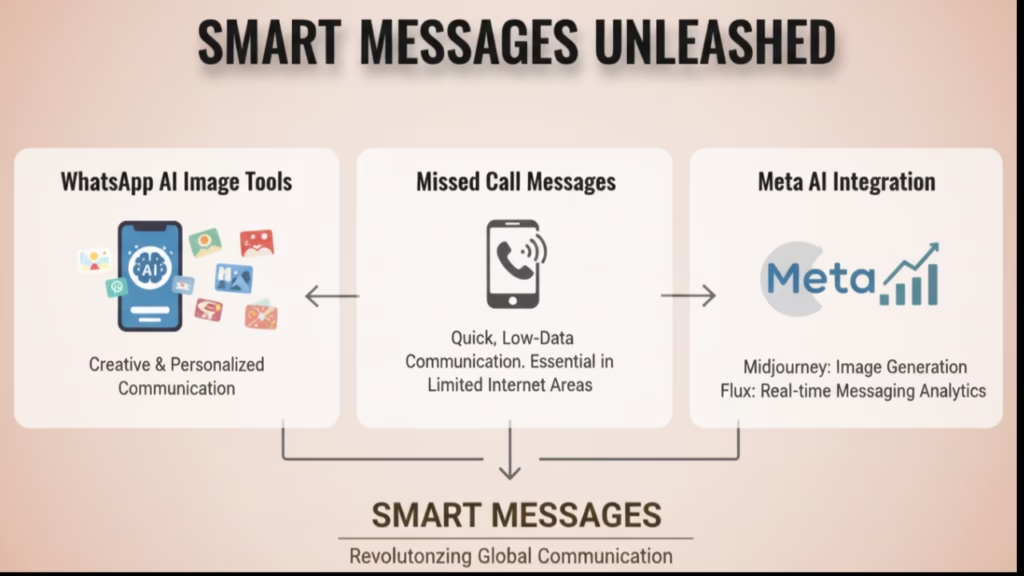
Remember voicemail? That ancient technology your parents still use? WhatsApp is essentially reinventing it for the modern era. The new missed call messages feature allows you to leave a voice or video note with just one tap when someone doesn’t pick up your call.
Here’s how it works. When your call goes unanswered, WhatsApp automatically gives you the option to record a quick message. Voice call? Leave a voice note. Video call? Record a video message. It’s intuitive, fast, and honestly, it’s something I didn’t realize I wanted until I had it.
The beauty of this feature lies in its simplicity. No more typing out “Hey, tried to call you about dinner tonight, call me back when you can.” Instead, you just speak naturally, and your message captures all the context and emotion that text simply can’t convey.
WhatsApp AI Image Tools: Creativity Meets Conversation
Now, let’s talk about the star of the show: the WhatsApp AI image tools. Meta has integrated powerful AI image generation capabilities directly into your chat experience, and the results are genuinely impressive.
The WhatsApp AI image tools are powered by Meta AI, which now incorporates model capabilities from Midjourney and Flux. If you’re familiar with AI art generation, you know these names carry serious weight. Midjourney is renowned for its artistic quality, while Flux brings technical precision. Together, they make the WhatsApp AI image tools capable of producing visuals that would have seemed impossible on a messaging app just a year ago.
What can you actually do with these WhatsApp AI image tools? Pretty much anything visual you can imagine:
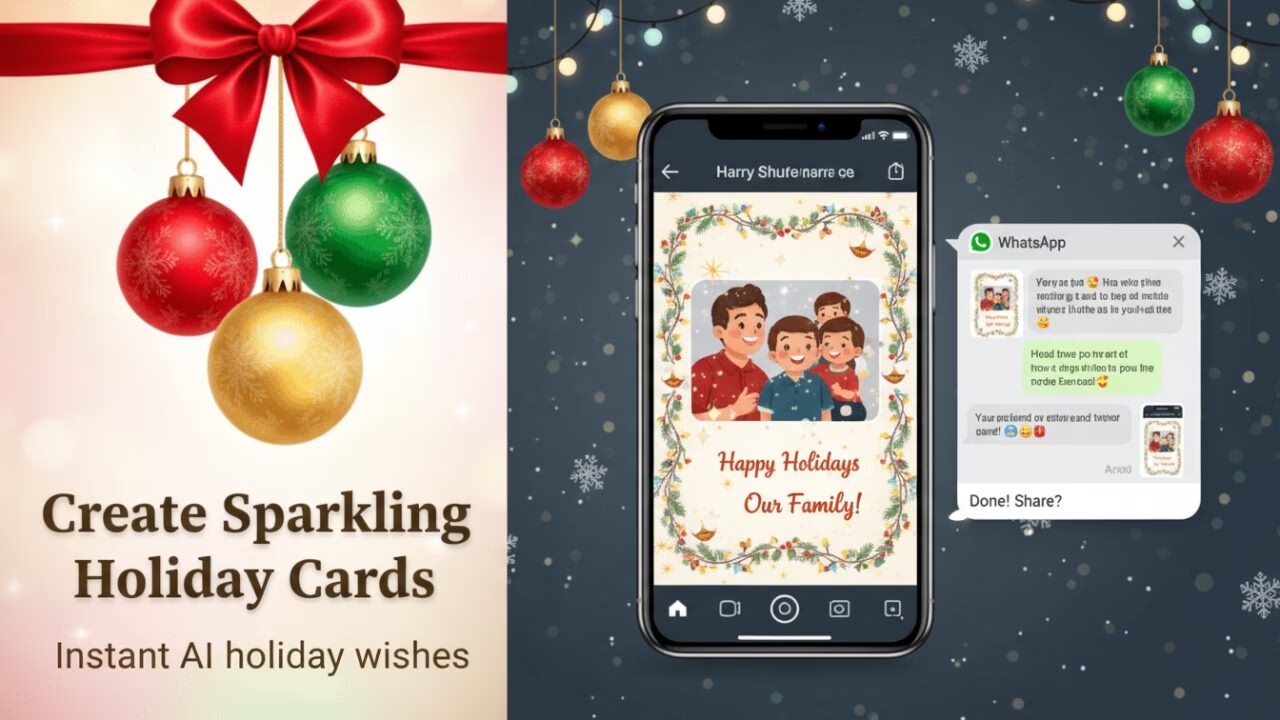
- Generate custom holiday greetings with unique AI-created visuals
- Create personalized images by describing what you want in plain text
- Animate any photo into a short video clip using simple text prompts
- Design chat themes and backgrounds with AI assistance
- Generate creative content for Status updates
The WhatsApp AI image tools work seamlessly across devices. Whether you’re on iOS, Android, or desktop, you get the same powerful creative capabilities. This cross-platform consistency means you’re never limited by which device you happen to have in your hand.
Why These Features Matter Now
Messaging Fatigue and User Convenience
Let’s be real for a moment. We’re all juggling too many apps. Between work communication platforms, social media, and personal messaging, the average smartphone user switches between apps dozens of times per day. It’s exhausting.
The WhatsApp AI image tools address this fragmentation directly. Instead of opening a separate AI art generator, creating an image, saving it, and then uploading it to WhatsApp, you can now do everything in one place. The missed call messages feature similarly reduces friction by eliminating the need to follow up a missed call with a separate text message.
AI Tools Becoming Mainstream in Messaging
There’s a broader trend happening here. AI tools are no longer relegated to specialized apps or power users. The WhatsApp AI image tools represent a significant shift toward democratizing AI creativity. With over 2 billion users worldwide, WhatsApp is bringing sophisticated AI capabilities to people who might never have sought them out otherwise.
This matters because creative expression shouldn’t require technical expertise. The WhatsApp AI image tools let anyone become a visual creator. Grandparents can make custom birthday cards. Small business owners can create product visuals. Students can illustrate their ideas. The barrier to entry has essentially disappeared.
Competitive Pressure in the Messaging Wars
Meta isn’t operating in a vacuum. Telegram has been pushing creative features aggressively. Signal continues to innovate on privacy. iMessage keeps getting smarter. The introduction of WhatsApp AI image tools is partly a competitive response, but it’s also a statement of intent. Meta is signaling that WhatsApp won’t just match competitors; it intends to lead.
Deep Dive into WhatsApp AI Image Tools
How the WhatsApp AI Image Tools Actually Work
The technical architecture behind the WhatsApp AI image tools is fascinating. When you create an image using these tools, your text prompt is processed by Meta AI, which leverages models from both Midjourney and Flux to generate the visual.
The process is straightforward. You type a description of what you want to create, perhaps “a sunset over mountains with a cozy cabin,” and the WhatsApp AI image tools generate a unique image based on your prompt. You can refine the results by adjusting your description or using built-in editing features.
What’s particularly impressive is the image animation feature within the WhatsApp AI image tools. You can take any static photo and transform it into a short animated video using simple text prompts. Imagine bringing your vacation photos to life or adding movement to product images for your business.
Privacy and Safety Mechanisms
When discussing the WhatsApp AI image tools, privacy concerns naturally arise. Meta has implemented several safeguards to address these concerns.
First and most importantly, your regular WhatsApp messages remain end-to-end encrypted. The WhatsApp AI image tools operate alongside this encryption rather than compromising it. When you use Meta AI features, only the content you specifically share with Meta AI is processed by Meta’s systems.
Meta has also introduced “Private Processing” technology for certain AI features. This system processes AI requests in a confidential virtual machine environment, ensuring that your data isn’t accessible to other systems or even to Meta itself in many cases.
The WhatsApp AI image tools include content filtering to prevent the generation of harmful or inappropriate content. This moderation happens automatically, helping maintain a safe creative environment for all users.
WhatsApp AI Image Tools vs. Competitor Platforms
How do the WhatsApp AI image tools stack up against what other messaging platforms offer? Let’s compare:
| Feature | Telegram | Signal | |
|---|---|---|---|
| AI Image Generation | Yes (Midjourney + Flux) | Limited (via bots) | No |
| Photo Animation | Yes | No | No |
| End-to-End Encryption | Yes (default) | Secret chats only | Yes (default) |
| Cross-Platform AI | Yes | Yes | No |
| User Base | 2B+ users | 900M+ users | 100M+ users |
The WhatsApp AI image tools offer a unique advantage: they combine powerful AI capabilities with the world’s largest messaging user base and strong default encryption. This combination is something competitors haven’t yet matched.
User Experience Impact
For Everyday Users
The WhatsApp AI image tools transform how ordinary people express themselves digitally. Think about it: you no longer need design skills or expensive software to create personalized visuals for birthdays, anniversaries, or just because.
The missed call messages feature similarly reduces communication friction. Missed a call from your spouse while in a meeting? Leave a quick voice note explaining when you’ll be free. It’s faster than typing and more personal than text.
For Creators and Small Businesses
If you run a small business, the WhatsApp AI image tools could become an essential part of your marketing toolkit. Need a quick product visual? Generate it in seconds. Want to create a promotional graphic for your Status? The WhatsApp AI image tools make it possible without hiring a designer.
Content creators will appreciate the ability to quickly draft visual concepts directly within their primary communication platform. The WhatsApp AI image tools aren’t replacing professional design software, but they’re perfect for rapid iteration and ideation.
For Families and Communities
Family group chats are about to get a lot more interesting. The WhatsApp AI image tools enable custom family newsletters, personalized thank-you cards, and creative invitations. The missed call messages feature helps with logistics, letting you leave context-rich messages when coordinating schedules.

Analysis: The Social Behavior Shift
Messaging Patterns Are Evolving
We’re witnessing a fundamental shift in how people communicate digitally. The progression has been clear: text to images to video to AI-enhanced content. The WhatsApp AI image tools represent the latest evolution in this trajectory.
Studies show that multimedia messages generate significantly higher engagement than text-only communications. The WhatsApp AI image tools lower the barrier to creating compelling visual content, which will likely accelerate this shift toward more expressive messaging.
AI’s Role in Personal Communication
The WhatsApp AI image tools aren’t just about productivity or efficiency. They’re about creativity and convenience in equal measure. When you can express an idea visually in seconds rather than minutes, you’re more likely to do it.
This represents a subtle but important shift in how we think about AI in personal contexts. The WhatsApp AI image tools position artificial intelligence as a creative partner rather than just a productivity tool. That’s a meaningful distinction that could shape how millions of people relate to AI technology.
WhatsApp as a Central Hub
Meta clearly envisions WhatsApp as more than a messaging app. The WhatsApp AI image tools, combined with features like payments in certain regions and business tools, suggest a platform aspiring to become a communication superapp.
The WhatsApp AI image tools reinforce this “stickiness” strategy. The more you can do without leaving WhatsApp, the less reason you have to use competing platforms. It’s a compelling approach that could reshape the messaging landscape.
Privacy and Security Considerations
Let’s address the elephant in the room. Any discussion of WhatsApp AI image tools must acknowledge privacy concerns. How does Meta handle your data when you use these AI features?
The good news: your regular WhatsApp messages remain end-to-end encrypted. The WhatsApp AI image tools don’t compromise this fundamental protection. What you send to friends and family stays between you and them.
However, when you interact with Meta AI through the WhatsApp AI image tools, that specific interaction is processed by Meta’s systems. This is necessary for the AI to function but means Meta can see what you ask the AI to create. It’s worth being mindful about what you share in these contexts.
WhatsApp offers an “Advanced Chat Privacy” feature that provides additional controls. When enabled, it blocks anyone in the chat from exporting conversations and disables automatic media downloading. For those particularly concerned about privacy with the WhatsApp AI image tools, this feature offers extra peace of mind.
Expert Perspectives and Industry Analysis
Industry analysts view the WhatsApp AI image tools as a significant competitive move. Meta’s integration of Midjourney and Flux capabilities represents a substantial investment in AI quality that competitors will struggle to match quickly.
Consumer behavior experts note that the missed call messages feature addresses a genuine pain point in modern communication. The cognitive load of managing missed calls and follow-up messages has been a persistent friction in mobile communication. Solving this problem elegantly could drive meaningful engagement gains.
Security professionals acknowledge that Meta has made genuine efforts to preserve privacy while adding the WhatsApp AI image tools. The Private Processing technology represents a serious attempt to balance functionality with security concerns, though long-term security will require ongoing vigilance and independent auditing.
Editorial Insight: WhatsApp Is Humanizing AI
Beyond Copying: Understanding Real Communication Habits
Here’s what I find most interesting about the WhatsApp AI image tools: they’re not just another AI feature bolted onto an app. They’re designed around how people actually communicate.
Think about the missed call messages feature. It’s not revolutionary technology. It’s thoughtful design that reduces mental overhead. You don’t have to remember to follow up. You don’t have to switch contexts. The WhatsApp AI image tools follow the same philosophy: creativity should be seamless, not a separate task.
Context-Aware Messaging
The WhatsApp AI image tools represent a broader shift toward context-aware communication. AI isn’t just delivering content; it’s understanding what you want to express and helping you express it better.
This is where things get genuinely exciting. The WhatsApp AI image tools today generate images. Tomorrow, they might anticipate what image you want to send based on the conversation context. They might suggest the perfect visual before you even think to ask.
Setting the Stage for Smarter Conversations
The WhatsApp AI image tools are just the beginning. They establish a foundation for AI that truly understands and enhances human communication. As these tools evolve, messaging will become less about typing and more about expressing.
What This Means for the Future
The implications of WhatsApp AI image tools extend far beyond today’s feature set. Here’s what I expect to see:
- Real-time context messaging becomes standard: The missed call messages feature is just the start. Expect more features that automatically provide context and reduce communication friction.
- Messaging plus AI equals new workflows: The WhatsApp AI image tools will integrate with other Meta AI capabilities, enabling complex creative tasks without leaving the app.
- Reduced app switching: As WhatsApp AI image tools become more sophisticated, users will have less reason to use separate AI art generators, photo editors, or design tools.
- New monetization opportunities: Meta will likely introduce premium WhatsApp AI image tools features, following the freemium model successful elsewhere.
The WhatsApp AI image tools represent more than a product update. They’re a glimpse into how AI will reshape personal communication over the coming decade.
Frequently Asked Questions About WhatsApp AI Image Tools
How do I access the WhatsApp AI image tools?
The WhatsApp AI image tools are accessible through Meta AI within the app. Look for the Meta AI icon in your chat interface or start a conversation with Meta AI directly. The features are rolling out globally across iOS, Android, and desktop platforms.
Are the WhatsApp AI image tools free to use?
Currently, the WhatsApp AI image tools are included as part of the free WhatsApp experience. Meta hasn’t announced any premium tiers for basic AI image generation, though this could change as the features evolve.
Do the WhatsApp AI image tools compromise my privacy?
Your regular messages remain end-to-end encrypted. The WhatsApp AI image tools only process the specific prompts and content you share with Meta AI. You can use the Advanced Chat Privacy feature for additional controls.
Can I use the WhatsApp AI image tools for business purposes?
Yes, the WhatsApp AI image tools can be valuable for small businesses creating promotional content, product visuals, and marketing materials. However, check Meta’s terms of service for any commercial use restrictions.
What makes the WhatsApp AI image tools different from other AI generators?
The WhatsApp AI image tools integrate Midjourney and Flux model capabilities, offering professional-quality output. Their key advantage is seamless integration with your messaging workflow, eliminating the need to switch between apps.
How does the missed call messages feature work?
When someone doesn’t answer your call, WhatsApp prompts you to record a voice or video note. With one tap, your message is sent to the chat, providing context about why you called.
Are the WhatsApp AI image tools available in all countries?
The WhatsApp AI image tools are rolling out globally, but availability may vary by region. Meta AI features are currently available in the USA, UK, Canada, Australia, India, and many other countries. Check your app for current availability.
Can I animate my existing photos with the WhatsApp AI image tools?
Yes, the WhatsApp AI image tools include photo animation capabilities. You can transform any static photo into a short animated video by providing text prompts describing the desired animation.
Conclusion: Beyond the Updates
The WhatsApp AI image tools and missed call messages represent more than incremental improvements. They signal Meta’s vision for WhatsApp as a comprehensive communication platform where AI enhances rather than replaces human connection.
The WhatsApp AI image tools democratize creativity, making visual expression accessible to everyone regardless of technical skill. The missed call messages feature reduces communication friction, respecting the reality that we can’t always answer every call. Together, these updates make WhatsApp smarter, more expressive, and more attuned to how we actually communicate.
As I’ve been using these features, I’ve noticed something interesting. I’m more creative in my conversations. I’m leaving more context-rich messages. The WhatsApp AI image tools haven’t changed what I communicate but how I express it. And that, I think, is exactly the point.
If you haven’t explored the WhatsApp AI image tools yet, I’d encourage you to dive in. Start with something simple: create a holiday greeting for a friend or animate a favorite photo. You might be surprised at how naturally these tools integrate into your communication style.
What do you think about the WhatsApp AI image tools? Have you tried them yet? I’d love to hear about your experiences. Drop a comment below or send me a message. After all, that’s what messaging apps are for.
This article was last updated December 2025. Features and availability may change.

Animesh Sourav Kullu is an international tech correspondent and AI market analyst known for transforming complex, fast-moving AI developments into clear, deeply researched, high-trust journalism. With a unique ability to merge technical insight, business strategy, and global market impact, he covers the stories shaping the future of AI in the United States, India, and beyond. His reporting blends narrative depth, expert analysis, and original data to help readers understand not just what is happening in AI — but why it matters and where the world is heading next.