
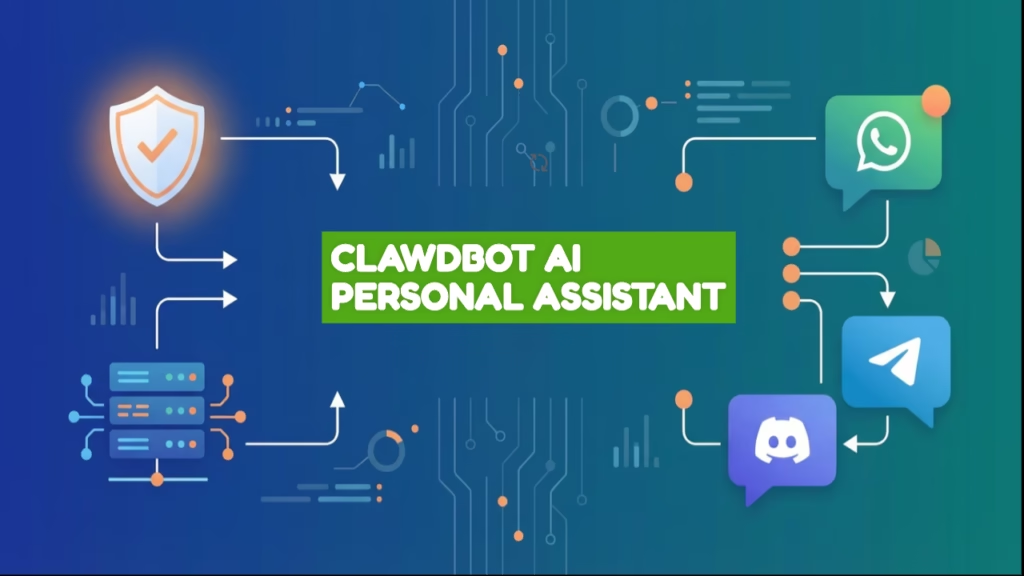
Meta Description: Clawdbot AI personal assistant runs on your computer, remembers everything forever, and automates tasks via WhatsApp and Telegram. Self-hosted and truly private.
The Problem With Every AI Assistant You’ve Tried
ChatGPT forgets you exist the moment you close the tab. Siri can’t remember what you told it yesterday. Google Assistant thinks every conversation is the first conversation.
Here’s what you need: an AI that remembers your preferences, your deadlines, your inside jokes. One that lives inside WhatsApp or Telegram where you already spend your time. One that wakes up at 7 AM and sends you a personalized briefing—without you asking.
That’s Clawdbot AI personal assistant. It’s open-source, runs on your Mac or Windows machine, and builds a permanent memory of everything you tell it. You control the data. You customize its personality. It works 24/7, even offline.
What Is Clawdbot AI Personal Assistant?
Clawdbot is a self-hosted AI agent that operates from your own computer. Unlike cloud assistants, it stores conversations locally in a file called memory.md. Every preference, every task, every detail—written down and recalled on demand.
The difference is brutal. Tell ChatGPT you’re vegetarian. Next week, it suggests steakhouses. Tell Clawdbot once. It never forgets.
Three features that matter:
Persistent Memory: Clawdbot maintains context indefinitely. Your conversations from January are still accessible in December. The memory file is searchable, editable, and transparent.
Proactive Automation: Through cron jobs, Clawdbot can initiate tasks without prompts. Morning briefings at 7 AM. Meeting reminders 15 minutes early. Price tracking alerts on Telegram when products drop below your target.
Chat Integration: Clawdbot works inside apps you already use—WhatsApp, Telegram, Discord, Slack, even iMessage. No new app to install. Your AI lives where you live.
How to Install Clawdbot (Quick Start)
Mac Installation
# Install Homebrew
/bin/bash -c "$(curl -fsSL https://raw.githubusercontent.com/Homebrew/install/HEAD/install.sh)"

# Install Node.js
brew install node

# Clone and setup
git clone https://github.com/clawdbot/clawdbot.git
cd clawdbot
npm install
```

Create a `.env` file with your API key:
```
ANTHROPIC_API_KEY=your_claude_key_here
Start: npm start
Windows Installation
- Download Node.js from nodejs.org
- Open PowerShell as Administrator
- Run:
git clone https://github.com/clawdbot/clawdbot.git - Navigate:
cd clawdbot - Install:
npm install - Add API keys to
.envfile - Start:
npm start
Time investment: 30-45 minutes for first-time setup.
Connecting to Telegram :-
Telegram offers the smoothest Clawdbot experience. Setup takes 10 minutes:
- Open Telegram, message @BotFather
- Send
/newbotand follow prompts - Copy your bot token (format:
123456:ABC-DEF...) - Add to
.env:TELEGRAM_BOT_TOKEN=your_token_here - Restart Clawdbot:
npm restart
Message your bot. It responds instantly using Clawdbot’s AI and memory. Every conversation is stored. Every preference remembered.
WhatsApp alternative: Requires unofficial bridges like BlueBubbles (Mac/iOS) or WhatsApp Web wrappers. More complex, less stable. Stick with Telegram unless you absolutely need WhatsApp.
Customizing Personality and Memory
The Soul File
Clawdbot’s personality lives in soul.md. Edit this file to define how it behaves:
You are my assistant. You know:
- I'm a freelance developer in Berlin
- I prefer brutal honesty over politeness
- I hate small talk—be direct
- When I say "client work," I mean web projects
- Use metric units always

Style: Concise. Max 2 sentences unless I ask for detail.
Tone: Slightly sarcastic but never rude.
Save. Clawdbot adopts this personality immediately. Want it formal? Supportive? Aggressive? Edit the file.
The Memory File
memory.md stores factual context about you:
## Personal
- Name: Alex
- Location: Remote (Bali)
- Timezone: UTC+8

## Current Work
- Client: TechCorp (deadline: Feb 15)
- Side project: AI newsletter

## Preferences
- Vegetarian diet
- Morning person (6 AM - 10 PM)
- Prefers email over calls
```

Clawdbot references this file on every interaction. Update it manually or let Clawdbot append new information automatically.

---

## What AI Models Work With Clawdbot?

### Cloud Options (Recommended)

**Claude (Anthropic):** Best reasoning and context handling. $20/month API access covers casual daily use. Recommended for most users.

**GPT-4o (OpenAI):** Faster than Claude, cheaper per token. Good for high-volume automation. Roughly $15-30/month depending on usage.

**Gemini (Google):** Free tier includes 1,500 requests daily. Perfect for testing or budget-conscious users. Quality lower than Claude but cost is $0.

### Local Options (Free but Limited)

**Llama 3.1 (70B):** Requires 24GB+ VRAM. Free, private, no API costs. Install via Ollama: `ollama pull llama3.1:70b`

**Reality check:** Local models are 10x slower than cloud APIs. They hallucinate more. They struggle with complex reasoning. For serious work, cloud models are worth paying for.

---

## Real Use Cases: How People Actually Use Clawdbot

**Freelancer automation:** Auto-respond to client WhatsApp after 7 PM with "I'll reply tomorrow morning." Track project deadlines, send proactive reminders 2 days before delivery. Saves 90 minutes weekly on repetitive communication.

**Student accountability:** Telegram reminder every 2 hours: "Have you worked on your thesis today?" Store research paper summaries in memory for instant recall. Auto-schedule study sessions based on exam dates.

**Team knowledge base:** Shared Slack bot for 12-person startup. Team asks "What did product discuss yesterday?" or "Who's fixing the payment bug?" Persistent memory creates a searchable company brain.

**Personal life manager:** Remember family birthdays. Suggest gift ideas from past conversations. Weekly reminder: "Text your mom." Prevents awkward forgotten occasions.

---

## Cost Breakdown: What You'll Actually Pay

**Software:** Free (open-source)

**API costs:**
- Claude: $20/month (casual use)
- GPT-4o: $15-30/month (moderate use)
- Gemini: $0/month (free tier sufficient for personal use)
- Local models: $0/month (electricity only)

**Hosting (optional):**
- Run on laptop: $0/month (only works when laptop is on)
- Hetzner VPS: $5/month (24/7 availability)
- Home Raspberry Pi: $0/month (one-time hardware cost ~$50)

**Total:** $0-25/month depending on choices. Compare to ChatGPT Plus ($20/month) with no memory or integrations.

---

## Clawdbot vs ChatGPT and Claude

| Feature | Clawdbot | ChatGPT | Claude |
|---------|----------|---------|--------|
| Persistent memory | Forever | Forgets | Limited |
| Self-hosted | Your machine | Cloud only | Cloud only |
| Proactive tasks | Cron jobs | No | No |
| Chat integration | WhatsApp/Telegram | No | No |
| Privacy | Local data | OpenAI servers | Anthropic servers |
| Setup difficulty | Technical | Instant | Instant |
| AI quality | Depends on model | Strong | Excellent |

**Bottom line:** Clawdbot wins on memory, privacy, and automation. ChatGPT and Claude win on convenience and AI quality. Choose based on what matters more to you.

---

## The Honest Limitations

**Not plug-and-play:** Requires terminal knowledge, Node.js installation, API configuration. Expect a learning curve if you've never touched command line tools.

**Memory can bloat:** After months, `memory.md` grows large (100KB+). Large files slow AI responses. Solution: Periodically clean old entries.

**Chat bridges break:** WhatsApp and Telegram update APIs. Unofficial integrations stop working temporarily. Community fixes issues fast, but expect occasional downtime.

**Local models disappoint:** Running Llama locally sounds great until responses take 30 seconds instead of 3. Local models work for basic chat but struggle with complexity.

**No mobile app:** Clawdbot runs on computers/servers, not phones. You interact via chat apps (fine for most use) but can't directly manage settings from mobile without SSH.

---

## Master Prompts: Copy-Paste These

### Daily Briefing Automation
```
Configure daily briefing:
- Time: 7 AM my timezone
- Include: weather, calendar today, top 3 tasks
- Deliver: Telegram
- Style: concise, actionable

Save as cron job and confirm active.
```

### Meeting Preparation
```
Monitor calendar. For each meeting:
- 30 min before: send summary of past conversations with this person
- 15 min before: remind me with agenda
- Deliver: WhatsApp
```

### Content Idea Generator
```
Every Monday 9 AM:
- Review my writing from last week
- Suggest 5 content ideas in my niche
- Include hook and target audience for each
- Send to Discord #ideas channel
Troubleshooting Common Issues
npm install fails: Check Node.js version. Run nvm install 18 && nvm use 18 then retry.
Telegram bot silent: Verify token in .env has no spaces. Check with @BotFather using /mybots.
Memory file huge: Open memory.md, delete old irrelevant entries, restart Clawdbot.
API errors: Too many requests. Reduce automation frequency or switch to Gemini free tier.
Is Clawdbot Worth the Setup Time?
Honest answer: It depends on what you value.
If you want instant gratification, use ChatGPT. It works in 30 seconds. Zero setup.
If you want an AI that knows you, remembers your context indefinitely, operates inside your favorite apps, and keeps all data private—invest 2 hours into Clawdbot.
After 90 days of daily use, here’s my verdict: Persistent memory changes everything. I told Clawdbot once I’m vegetarian. Three months later, it’s never suggested a steakhouse. ChatGPT forgets weekly.
The proactive automation is equally powerful. Morning briefings appear without asking. Meeting reminders arrive exactly when needed. It feels less like using a tool and more like having a colleague.
The real question: Are you willing to trade convenience for capability?
Get Started in 5 Steps
- Install Node.js (15 min) – Download from nodejs.org
- Clone Clawdbot (10 min) –
git clone https://github.com/clawdbot/clawdbot.git - Add API key (5 min) – Get Claude API from console.anthropic.com
- Start bot (5 min) –
npm install && npm start - Connect Telegram (10 min) – Message @BotFather, add token
Total: 45 minutes. After that, it runs autonomously.
FAQs
What is Clawdbot AI personal assistant? An open-source, self-hosted AI agent that runs on your computer with persistent memory, proactive task handling, and chat app integration (WhatsApp, Telegram, Discord, Slack).
How do I install Clawdbot AI personal assistant on Mac? Install Homebrew and Node.js, clone the GitHub repo, run npm install, add API keys to .env file, then npm start. Takes 30-45 minutes for complete setup.
Does Clawdbot AI work on Windows or Linux? Yes. Works on Windows 10/11, Ubuntu, Debian, Fedora, and other Linux distributions. Setup process nearly identical across platforms.
Is Clawdbot AI personal assistant free? Software is free and open-source. Costs come from API usage ($20-30/month for Claude or GPT-4) or use local models for $0/month.
How does persistent memory work? Clawdbot stores context in memory.md file. Every conversation and preference is written here and recalled on every interaction. Memory is transparent and editable.
Can Clawdbot run tasks proactively? Yes. Use cron jobs for scheduled automations: morning briefings, meeting reminders, price tracking alerts, auto-replies. Configure via settings or natural language.
Is Clawdbot private and self-hosted? Yes. Runs on your machine, stores data locally. No external servers. Exception: Cloud AI models (Claude/GPT-4) process prompts on their servers. Use local models for complete privacy.
What are Clawdbot limitations? Requires technical setup, memory files can grow large, chat integrations occasionally break during platform updates, local models are slower than cloud APIs, no native mobile app.
Final Thoughts
We’re entering an era where AI becomes deeply integrated into daily life. The critical question isn’t “Should I use AI?” but “Who controls my AI?“
Cloud assistants are convenient but corporate-controlled and forgetful. Clawdbot represents a different path: decentralized, private, persistent AI that works for you.
It’s not perfect. It’s not easy. But it’s yours.
For developers, freelancers, remote workers, and privacy-conscious users who value control over convenience, Clawdbot delivers capabilities no cloud assistant can match.
Your move: Spend 45 minutes setting it up, or spend the next year wishing ChatGPT remembered who you are.

Animesh Sourav Kullu is an international tech correspondent and AI market analyst known for transforming complex, fast-moving AI developments into clear, deeply researched, high-trust journalism. With a unique ability to merge technical insight, business strategy, and global market impact, he covers the stories shaping the future of AI in the United States, India, and beyond. His reporting blends narrative depth, expert analysis, and original data to help readers understand not just what is happening in AI — but why it matters and where the world is heading next.