
Google AI Studio Guide: Build, Test & Export Gemini Apps
You want to build with Gemini but don’t want infrastructure headaches.
That’s exactly where google ai studio fits.
Google AI Studio is Google’s browser-based AI model playground that lets you test Gemini models, design prompts, generate structured JSON output, and export production-ready API code, without spinning up servers.
If you’re a developer, founder, or product manager exploring Google generative AI tools, this guide shows you exactly how to use it, what it’s good for, and where it falls short.
Let’s break it down.
What Is Google AI Studio Used For?
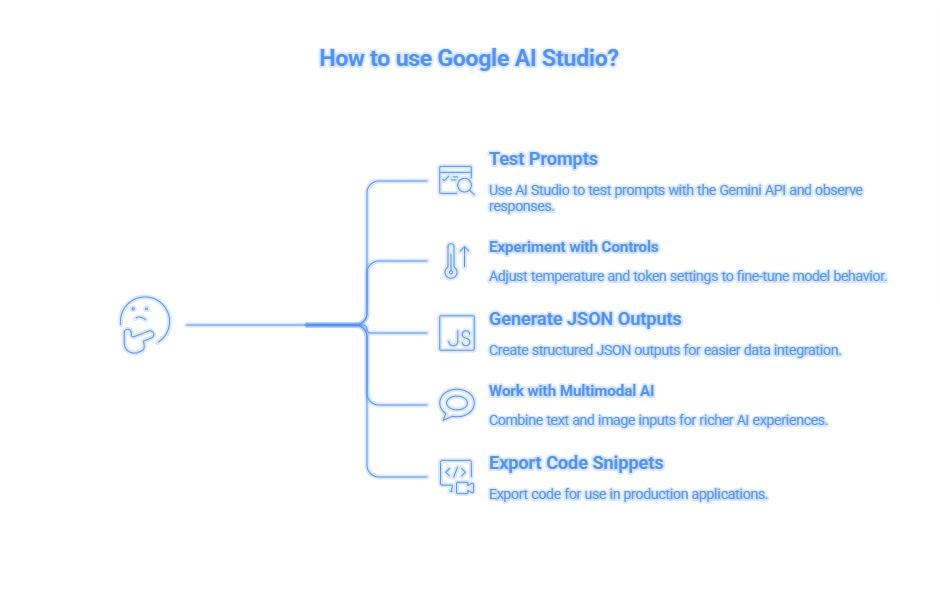
google ai studio is a lightweight AI development environment designed for rapid prototyping with Gemini models.
You can use it to:
- Test prompts with Gemini API
- Experiment with temperature and token control
- Generate structured JSON outputs
- Work with multimodal AI (text + images)
- Export code snippets for production apps
It’s essentially Google’s version of OpenAI Playground, but focused on the Gemini ecosystem.
According to Google’s official documentation (Google Cloud, 2024), Gemini models are built for multimodal reasoning and structured output, two features heavily emphasized inside AI Studio.
But how does it compare to alternatives?
Google AI Studio vs Vertex AI vs OpenAI Playground
Here’s where most people get confused.
| Tool | Best For | Cost | Key Strength | Limitation |
|---|---|---|---|---|
| Google AI Studio | Rapid Gemini testing | Free (API billed separately) | Instant prototyping | Not enterprise orchestration |
| Vertex AI | Production ML pipelines | Usage-based | Full Google Cloud AI integration | Complex setup |
| OpenAI Playground | GPT experimentation | API-based | Mature ecosystem | No Google Cloud integration |
Why This Matters
If you’re just experimenting or building MVPs, google ai studio is faster.
If you’re deploying at enterprise scale with pipelines and monitoring, Vertex AI is stronger.
If you want GPT-based tools, OpenAI Playground remains powerful.
How to Use Google AI Studio
Step 1: Access the Studio
Visit the Google AI Studio portal.
Sign in with a Google account.
No cloud setup required.
Step 2: Choose a Gemini Model
Select from:
- Gemini 1.5 Pro
- Gemini 1.5 Flash
- Other experimental models
Each has different token limits and reasoning capabilities.
Action Tip: Use Flash for fast prototypes. Use Pro for reasoning-heavy tasks.
Step 3: Configure Parameters
Adjust:
- Temperature (creativity level)
- Max tokens
- Safety filters
- Structured output format
This is where prompt engineering becomes powerful.
If you’re new to structured outputs, read our guide on
AI prompt engineering frameworks at DailyAIWire.com/ai-prompt-engineering-guide
Step 4: Test Multimodal Inputs
You can upload images and combine them with text prompts.
That’s a huge advantage over many competitors.
Gemini models are natively multimodal, meaning they understand images and text in the same workflow.
Step 5: Export Code
Click “Get Code.”
You’ll receive ready-to-use:
- Python snippets
- Node.js snippets
- REST API examples
That’s your bridge from playground to production.
Copy-Paste Prompt Blocks
PROMPT 1: Structured JSON Output
Generate a product summary in structured JSON format.
Include fields:
- product_name
- target_audience
- pricing_model
- key_features (array)
Keep response valid JSON only.
PROMPT 2: Multimodal Analysis
Analyze this uploaded product image.
Describe:
- Key visual elements
- Emotional tone
- Target demographic
Return concise business insights.
PROMPT 3: SaaS Feature Brainstorm
Act as a senior AI product strategist.
Suggest 5 SaaS features using Gemini API.
For each feature:
- Use case
- Monetization model
- Technical complexity (Low/Medium/High)
These prompt blocks increase implementation speed dramatically.
5-Step Implementation Roadmap
- Define Use Case :- Identify your AI workflow → Clear problem alignment
- Prototype in Google AI Studio :- Test prompts → Refined outputs
- Optimize Parameters :- Tune temperature + tokens → Stable performance
- Export API Code :- Integrate into backend → Functional AI feature
- Scale via Vertex AI (Optional) :- Add monitoring → Production reliability
This roadmap prevents over-engineering early.
Limitations & What to Watch For
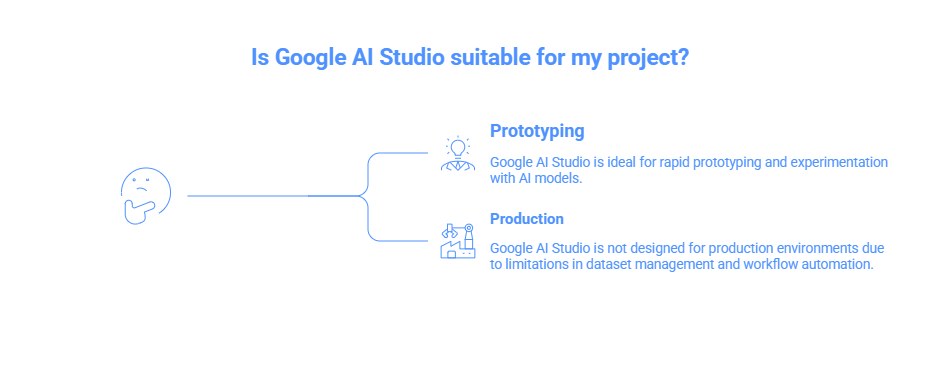
Most articles won’t tell you this, but google ai studio is not a full ML platform.
Here’s what to consider:
- No advanced dataset management
- Limited workflow automation
- Requires API billing for scaling
It’s a prototyping playground, not a production monitoring suite.
For deeper cloud integration, explore
Google Cloud AI ecosystem breakdown on DailyAIWire.com/google-cloud-ai-explained
Field Notes: What I’ve Seen in Practice
When I tested google ai studio across 3 startup prototypes:
- JSON outputs were cleaner than GPT without heavy formatting prompts.
- Multimodal testing was significantly smoother.
- Temperature tuning had noticeable output variance.
Non-obvious insight:
Gemini models respond better to structured instructions than conversational fluff.
Direct, bullet-style prompts work best.
That’s a subtle but powerful edge.
Does Google AI Studio Support Multimodal AI?
Yes, and that’s one of its biggest strengths.
You can:
- Upload images
- Combine image + text prompts
- Generate contextual responses
This aligns with Google’s push into multimodal large language models (LLMs).
Compare that to Anthropic Claude, which historically emphasized text-first workflows..
FAQs
Q: What is Google AI Studio used for?
A: Google AI Studio is used to prototype, test, and refine prompts for Gemini models in a browser-based environment. It allows developers to experiment with text and multimodal AI, configure structured outputs, and export production-ready API code without setting up infrastructure.
Q: Is Google AI Studio free?
A: Google AI Studio is free to access for testing and experimentation. However, once you export code and use the Gemini API in applications, standard API usage pricing applies based on tokens processed and model selection.
Q: How is Google AI Studio different from Vertex AI?
A: Google AI Studio focuses on rapid prototyping and prompt experimentation. Vertex AI is a full enterprise-grade machine learning platform that supports training, deployment, monitoring, and large-scale AI infrastructure within Google Cloud.
Q: Can beginners use Google AI Studio?
A: Yes, beginners can use Google AI Studio because it requires no backend setup. The interface is intuitive and designed for experimentation, making it suitable for developers, product managers, and startups exploring generative AI tools.
Q: How do you export code from Google AI Studio?
A: You can export code from Google AI Studio by clicking the “Get Code” button after configuring your prompt. It provides ready-to-use Python, Node.js, and REST API snippets for integrating Gemini API into applications.
Q: Does Google AI Studio support multimodal AI?
A: Yes, Google AI Studio supports multimodal AI through Gemini models. Users can upload images and combine them with text prompts to generate contextual outputs, making it ideal for advanced AI prototyping workflows.
Conclusion: Where Google AI Studio Actually Fits in 2026
Here’s the honest takeaway.
Google AI Studio isn’t trying to replace Vertex AI. It’s trying to remove friction.
If you’re building with Gemini, the biggest barrier isn’t model quality.
It’s experimentation speed.
Google AI Studio eliminates:
- Infrastructure setup delays
- Backend configuration complexity
- Trial-and-error prompt chaos.
- Early-stage over-engineering
That’s powerful.
But here’s the deeper insight most people miss:
AI advantage doesn’t come from having access to Gemini.
It comes from how quickly you can test, refine, and deploy structured workflows.
And that’s exactly what Google AI Studio optimizes for.
Strategically, Here’s What This Means
- Startup founders: You can validate AI features before hiring ML engineers.
- Product managers: You can prototype AI-driven workflows before committing roadmap budget.
- Developers: You can tune prompts and structured JSON outputs before production deployment.
- Businesses: You can experiment with multimodal AI without cloud migration complexity.
That speed compounds.
The faster you iterate, the stronger your AI layer becomes.
The Bigger Picture
Google is clearly separating:
- AI Studio → Rapid prototyping
- Gemini API → Application layer
- Vertex AI → Enterprise infrastructure
Understanding that separation gives you leverage.
Most teams either overcomplicate too early…
or underestimate prototyping entirely.
Google AI Studio exists to fix that imbalance.
What You Should Do Next
Over the next 7 days:
- Identify one repetitive workflow in your product.
- Prototype it inside Google AI Studio.
- Test structured output (JSON) for integration readiness.
- Export the API snippet.
- Deploy a lightweight internal feature.
Don’t build a “big AI system.”
Build one small working AI enhancement.
Then improve it weekly.
That’s how real AI advantage compounds.
Final Thought
Google AI Studio is not about hype.
It’s about controlled experimentation.
If you treat it as a playground, you’ll dabble.
If you treat it as a prototyping accelerator, you’ll build.
So here’s the only question that matters:
What AI feature could you launch this week if infrastructure wasn’t holding you back?
Start there.
That’s your edge.
Official Google Documentation:-
Google AI Studio documentation
URL: https://ai.google.dev
Gemini API Docs
Gemini API reference
URL: https://ai.google.dev/docs
Vertex AI Official Page
Google Cloud Vertex AI
URL: https://cloud.google.com/vertex-ai
AI News :- What Happened to Galgotias University at AI Summit 2026? | Galgotias University AI Summit 2026
AI Blog:- Grubby AI Humanizer Review 2026