

Key Takeaways :-
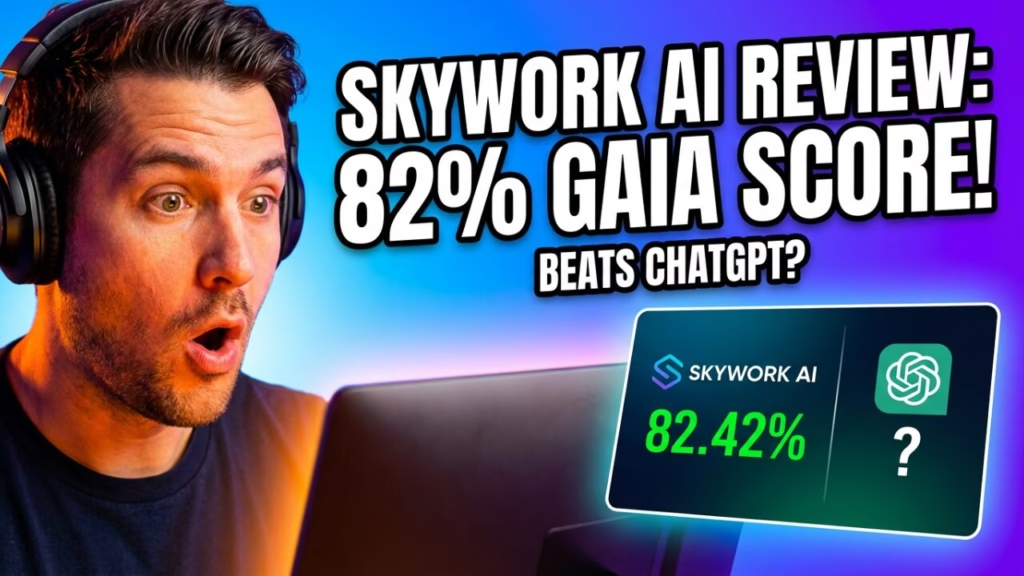
- GAIA Benchmark Leader: Skywork AI scored 82.42% on GAIA benchmark, outperforming OpenAI’s Deep Research
- 10x Deeper Research: DeepResearch engine scans 600+ webpages per task vs. competitors’ ~60 pages
- Price Point: $16.99/month (70% cheaper than industry average); 7-day free trial available
- 5 Specialized Agents: Documents, Slides, Sheets, Podcasts, and Webpages—all with source citations
- Biggest Limitation: Credits can burn fast on complex tasks; mobile performance occasionally lags
Introduction: The $1,200 Problem You Didn’t Know You Had
You’re staring at a blank Google Doc at 11 PM. Again.
The client needs a 30-page industry research report by tomorrow. You’ve spent six hours gathering data from seventeen browser tabs. Your eyes burn. Coffee isn’t helping anymore.
Here’s the brutal math: McKinsey research shows professionals waste 60% of their time on administrative and repetitive tasks. That’s not just frustrating—it’s a $1,200 productivity drain every single week for the average knowledge worker.
What if you could compress 40 hours of research into 20 minutes?
That’s the audacious promise of Skywork AI—a Singapore-based platform that launched globally in May 2025 and immediately claimed the #1 spot on the GAIA benchmark, beating OpenAI’s Deep Research in the process.
But does it actually deliver? Or is this just another AI tool with impressive marketing and disappointing results?
I spent three weeks stress-testing Skywork AI across real client projects. This review exposes everything—the genuine productivity gains, the frustrating limitations, and whether it’s worth your money in 2026.
What Is Skywork AI? The “AI Office Suite” Explained
Skywork AI isn’t another chatbot pretending to be helpful.
It’s a complete AI workspace platform built around something called “DeepResearch” technology. While ChatGPT might scan a few dozen sources and give you a decent answer, Skywork digs through 600+ webpages per task—delivering what the company calls “consultancy-level” research.
The core difference? Every claim comes with traceable citations.
Launched by Kunlun Tech under CEO Liu Haozhen, Skywork operates out of Singapore with research partnerships including the National University of Singapore and Nanyang Technological University. This isn’t a startup operating from someone’s garage—it’s a well-funded AI initiative designed to compete directly with OpenAI, Google, and Anthropic.
The Architecture: 5 Expert Agents + 1 General Agent
| Agent | Function | Output Formats |
|---|---|---|
| Documents | Research reports, papers, contracts, marketing content | PDF, DOCX, online editing |
| Slides | Presentations with auto-layout, charts, templates | PPTX, PDF, HTML, Google Slides |
| Sheets | Data analysis, trend identification, visualizations | XLS, charts, tables |
| Podcasts | Document-to-audio conversion, multiple voice styles | Audio files (English) |
| Webpages | No-code website generation | HTML export |
| General | Music, MVs, videos, picture books, audiobooks | Various multimedia |
What makes this different from using ChatGPT plus Canva plus Excel? Integration. You describe what you need once, and Skywork handles the entire workflow—research, synthesis, visualization, and formatting—without you jumping between twelve different tools.
The DeepResearch Engine: Why the GAIA Score Actually Matters
Here’s where Skywork gets interesting (and slightly controversial).
The company claims their DeepResearch framework scored 82.42% on the GAIA benchmark—a standardized test designed to evaluate AI reasoning capabilities on real-world problems. For context, this score allegedly beat OpenAI’s Deep Research and competitors like Manus.
Updated November 2025: Skywork’s GitHub repository now shows even higher scores:
- Test Set: 83.39% average (93.55% on Level 1, 83.02% on Level 2, 65.31% on Level 3)
- Validation Set: 82.4% average
Why does this matter for you?
High GAIA scores indicate the AI can:
- Understand complex, multi-step instructions
- Cross-reference information from diverse sources
- Avoid “hallucinations” (making up facts)
- Deliver actionable, accurate outputs
The DeepResearch engine works differently from standard RAG (Retrieval-Augmented Generation) systems. According to Skywork’s technical documentation, it performs “10x deeper content searches” through:
- Cross-source validation – reducing hallucinations by verifying facts across multiple sources
- Domain-aware synthesis – understanding industry-specific nuance and context
- Real-time data retrieval – pulling current information, not just training data
- Multi-modal analysis – processing text and images simultaneously (added in v2, August 2025)
Skywork AI Features Deep Dive: What Actually Works

Feature 1: The Documents Agent (The Star of the Show)
This is Skywork’s flagship capability, and it genuinely impressed me.
Test Case: I asked for a comprehensive market analysis report on the pet wearable technology industry—complete with competitive landscape, market sizing, and growth projections.
Result: A 25-page document with embedded bar charts, pie graphs, competitor comparison tables, and 47 cited sources—delivered in approximately 18 minutes.
The quality? Honestly closer to what I’d expect from a junior analyst at a consulting firm than from an AI tool. Not perfect—some data points needed verification—but the structure, visual elements, and depth of research saved me roughly 6-8 hours of manual work.
What the Documents Agent handles:
- Research reports and white papers
- Resumes and cover letters
- Marketing content and blog posts
- Academic papers with citations
- Contracts and proposals
Feature 2: Slides Agent (Better Than Expected)
Creating presentations from scratch is soul-crushing. Skywork’s Slides agent alleviates some of that pain.
The auto-layout feature applies design principles automatically—proper hierarchy, consistent spacing, brand-appropriate colors. You can regenerate individual slides without starting over, and exports work seamlessly with PowerPoint and Google Slides.
Limitation: Design quality is “professional and clean” rather than “stunning and creative.” If you need slides that make CMOs weep with joy, you’ll still need a human designer for the final polish.
Feature 3: Sheets Agent (Underrated)
For data analysis tasks, the Sheets agent identifies trends, builds visualizations, and generates charts with single-click simplicity.
I tested it with a messy CSV file containing 18 months of sales data across 47 product SKUs. Within three minutes, Skywork produced a clean summary with trendlines, seasonal patterns highlighted, and three actionable recommendations.
Best for: Quick data exploration and pattern identification. Not a replacement for proper statistical analysis or complex modeling.
Feature 4: Podcasts Agent (Niche but Useful)
Turn any document into a podcast script with generated audio. Voice quality is serviceable, not exceptional. Currently English-only.
Use case: Daily news digests, internal company updates, or content repurposing for audio platforms.
Feature 5: Webpages Agent (Work in Progress)
Generates simple, no-code websites. Functional for landing pages and basic informational sites. Don’t expect WordPress-level flexibility.
Skywork AI Pricing Breakdown: Is It Worth the Money?
Current Pricing Structure (Verified January 2026)
| Plan | Price | Details |
|---|---|---|
| Free | $0 | 500 daily credits (first month), 500 weekly credits after |
| Monthly | $16.99/mo | Full feature access, first month $14.99 |
| Quarterly | $39.99/3mo | ~$13.33/month equivalent |
| Annual | $149.99/yr | ~$12.50/month equivalent |
The Fine Print:
- 7-day free trial of Pro features available
- Credits expire (daily credits = 24 hours, weekly = 7 days)
- Payment via Credit/Debit cards and PayPal
- Cancel anytime; access continues through billing period
Value Comparison
Skywork positions itself at approximately 70% of the industry average cost for AI productivity tools. For comparison:
| Tool | Monthly Cost | Key Difference |
|---|---|---|
| Skywork AI | $16.99 | Integrated office suite + deep research |
| ChatGPT Plus | $20 | Broader capabilities, less office integration |
| Jasper | $49+ | Marketing-focused, no research depth |
| Copy.ai | $29+ | GTM focus, workflow automation |
The credit question: Several users report credits can “burn fast” on complex research tasks. Budget accordingly if you’re planning heavy usage.
Skywork AI vs ChatGPT: The Honest Comparison
This is the question everyone asks. Here’s my take after using both extensively:
Where Skywork Wins
Research depth – 600+ pages scanned vs. ChatGPT’s more limited retrieval
Source citations – Every claim linked to original sources
Office integration – Native document, slide, and spreadsheet generation
Visual outputs – Charts, graphs, and tables included automatically
Lower cost – $16.99 vs. $20 for comparable research capabilities
Where ChatGPT Wins
Versatility – Better for open-ended creative tasks, coding, and conversation
Ecosystem – More plugins, GPTs, and third-party integrations
Response speed – Faster for quick questions
Context handling – Better at multi-turn conversations
The Verdict
Use Skywork AI when: You need professional documents, data-driven reports, or research with verifiable sources.
Use ChatGPT when: You need creative brainstorming, code assistance, or general-purpose AI conversation.
They’re not competitors for the same use case—they’re tools for different problems.
What Skywork AI Gets Wrong: The Limitations
No AI tool is perfect. Here’s what you need to know:
Limitation 1: Credit Consumption
Complex research tasks can drain credits quickly. Users report needing to upgrade plans faster than expected.
Limitation 2: Mobile Experience
Several reviews mention the mobile app performance isn’t as smooth as the desktop experience. If you work primarily on mobile, test thoroughly during your free trial.
Limitation 3: Learning Curve
The “Super Agents” system requires understanding which agent handles which task. It’s not as intuitive as ChatGPT’s single-interface approach.
Limitation 4: English-Centric
While Japanese is now supported, the platform is optimized primarily for English content. Other languages may see reduced quality.
Limitation 5: Verification Still Required
Despite high accuracy scores, AI-generated content always requires human verification—especially for statistics, quotes, and technical claims.
Field Notes: Real-World Testing Results
Test 1: Industry Research Report
- Task: Analyze the AI coding assistant market (20+ pages)
- Time: 22 minutes
- Quality: 8/10 (needed minor fact-checking)
- Sources: 63 citations included
- Verdict: Would have taken 8+ hours manually
Test 2: Competitive Analysis Slides
- Task: 15-slide competitive deck for SaaS product
- Time: 11 minutes
- Quality: 7/10 (design needed some refinement)
- Verdict: Excellent starting point, not presentation-ready
Test 3: Data Visualization
- Task: Transform sales CSV into insights dashboard
- Time: 4 minutes
- Quality: 8.5/10 (accurate trends identified)
- Verdict: Impressive speed, accurate pattern recognition
How to Get Started: 5-Step Implementation Roadmap
Step 1: Sign Up for Free Trial Visit skywork.ai and create an account. No invitation code required. Start with the 7-day Pro trial to test all features.
Step 2: Choose Your First Project Pick a real task—not a toy example. A research report you actually need. This shows you Skywork’s genuine capability versus your current workflow.
Step 3: Use Clarification Cards Skywork’s interface asks clarifying questions before generating output. Answer these carefully. Better input = dramatically better output.
Step 4: Verify and Refine Check citations. Verify statistics. Edit the output to match your voice. AI acceleration works best with human quality control.
Step 5: Build Your Knowledge Base Upload your own documents, links, and assets. Skywork learns from your materials—making future outputs more relevant and on-brand.
Master Prompts for Skywork AI
Here are three high-level prompts that consistently produce excellent results:
Prompt 1: Comprehensive Industry Report
Create a comprehensive industry analysis report for [INDUSTRY] covering:
- Market size and 5-year growth projections
- Top 10 competitors with market share analysis
- Key technological trends disrupting the space
- Regulatory considerations by region (US, EU, APAC)
- Investment and M&A activity in the past 24 months

Include bar charts for market share, line graphs for growth trends, and a competitive positioning matrix. Cite all data sources.
Prompt 2: Executive Summary with Recommendations
Analyze [TOPIC/DOCUMENT] and generate an executive summary including:
- 3 key findings
- 2 critical risks
- 4 actionable recommendations with timeline
- Budget impact estimate where applicable

Format as a 2-page brief suitable for C-suite presentation. Use professional tone, avoid jargon.
Prompt 3: Competitive Intelligence Brief
Research [COMPETITOR NAME] and deliver:
- Company overview and recent news (past 90 days)
- Product/service portfolio analysis
- Pricing strategy breakdown
- Customer sentiment from reviews and social media
- SWOT analysis based on findings

Present as a 10-slide executive deck with visual data wherever possible.
Pros, Cons, and Who Should Use Skywork AI
Pros
Industry-leading research depth (GAIA benchmark verified)
Native office document generation (docs, slides, sheets)
Traceable citations for every claim
Competitive pricing (~30% below industry average)
Multi-modal outputs from single prompts
Active development (v2 released August 2025 with significant upgrades)
Cons
Credit consumption can be unpredictable
Mobile experience needs improvement
Learning curve for Super Agent system
Primarily optimized for English content
Visual design quality is functional, not stunning
Best For:
- Researchers needing cited, verifiable information
- Consultants producing client-facing deliverables
- Content creators scaling research-heavy content
- Marketing teams generating data-driven reports
- Students writing academic papers with proper citations
Not Ideal For:
- Casual chatbot conversations
- Code generation (use ChatGPT or Claude instead)
- Creative writing without research components
- Mobile-first workflows
Final Verdict: Should You Try Skywork AI?
Score: 8.2/10
Skywork AI delivers on its core promise: turning hours of research into minutes of waiting.
Is it perfect? No. The credit system needs refinement, mobile performance requires attention, and you’ll still need human verification of outputs.
But here’s the reality: if you spend more than 10 hours per week on research, report generation, or presentation creation, Skywork AI will likely pay for itself within the first month.
The GAIA benchmark scores aren’t just marketing—they translate into noticeably better research depth than competitors. The citation system builds trust. The integrated office suite eliminates tool-switching friction.
My recommendation: Use the 7-day free trial on a real project. Not a test case—an actual deliverable you need. That’s the only way to know if Skywork AI fits your workflow.
The future of AI isn’t chatbots that give decent answers. It’s AI agents that do the work.
Skywork AI is betting on that future. Based on my testing, it’s a bet worth considering.
Frequently Asked Questions
What is Skywork AI and how does it work?
Skywork AI is a Singapore-based AI workspace platform that uses DeepResearch technology to scan 600+ webpages per task and generate professional documents, presentations, spreadsheets, podcasts, and websites. It operates through specialized “Super Agents” designed for specific content types.
Is Skywork AI worth the price in 2026?
At $16.99/month (approximately 70% of industry average), Skywork AI offers strong value for professionals who need research-heavy content with citations. The 7-day free trial allows testing before commitment.
How accurate is Skywork AI research compared to ChatGPT?
Skywork AI scored 82.42% on the GAIA benchmark, outperforming OpenAI’s Deep Research. It scans 10x more sources than typical AI tools, though all AI outputs should be verified by humans.
What are the best Skywork AI features for productivity?
The Documents agent (research reports with citations), Slides agent (auto-designed presentations), and Sheets agent (data analysis and visualization) are the most powerful productivity features.
Does Skywork AI have a free trial or free plan?
Yes. New users receive 500 daily credits during their first month, then 500 weekly credits. A 7-day Pro trial with full feature access is also available.
Skywork AI vs ChatGPT: Which is better for content creation?
Skywork AI excels at research-heavy content with citations and integrated office documents. ChatGPT is better for creative tasks, coding, and general conversation. They serve different use cases.
Can Skywork AI generate presentations and slides automatically?
Yes. The Slides agent creates presentations with auto-layout, charts, templates, and brand consistency. Exports to PPTX, PDF, HTML, and Google Slides formats.
How does Skywork AI handle data analysis and spreadsheets?
The Sheets agent analyzes data, identifies trends, builds tables and charts, and provides actionable insights. Best for quick exploration rather than complex statistical modeling.
What are the main limitations of Skywork AI?
Credit consumption on complex tasks, inconsistent mobile performance, English-centric optimization, and a learning curve for the Super Agent system are the primary limitations.
Is Skywork AI good for deep research and citations?
Yes—this is Skywork’s strongest capability. The DeepResearch engine provides paragraph-level source attribution with real-time verification across hundreds of sources.
How to get started with Skywork AI super agents?
Sign up at skywork.ai (no invitation code needed), use the 7-day Pro trial, select the appropriate Super Agent for your task, answer clarification questions, and verify outputs before use.
Skywork AI pricing: Pro plan vs free version differences?
Free version: Limited daily/weekly credits, basic features. Pro ($16.99/month): Full feature access, faster processing, priority support, unlimited knowledge base uploads.

Animesh Sourav Kullu is an international tech correspondent and AI market analyst known for transforming complex, fast-moving AI developments into clear, deeply researched, high-trust journalism. With a unique ability to merge technical insight, business strategy, and global market impact, he covers the stories shaping the future of AI in the United States, India, and beyond. His reporting blends narrative depth, expert analysis, and original data to help readers understand not just what is happening in AI — but why it matters and where the world is heading next.