
Published by: DailyAIWire Editorial Team
Reading Time: ~9 min
Category: AI Tools & Reviews
What Is Zorq AI?
If you’ve spent any time in the AI creator space in 2026, you’ve probably noticed a familiar frustration: too many tools, too many subscriptions, and too much tab-switching just to get one piece of content out the door.
Zorq AI is built around fixing exactly that.
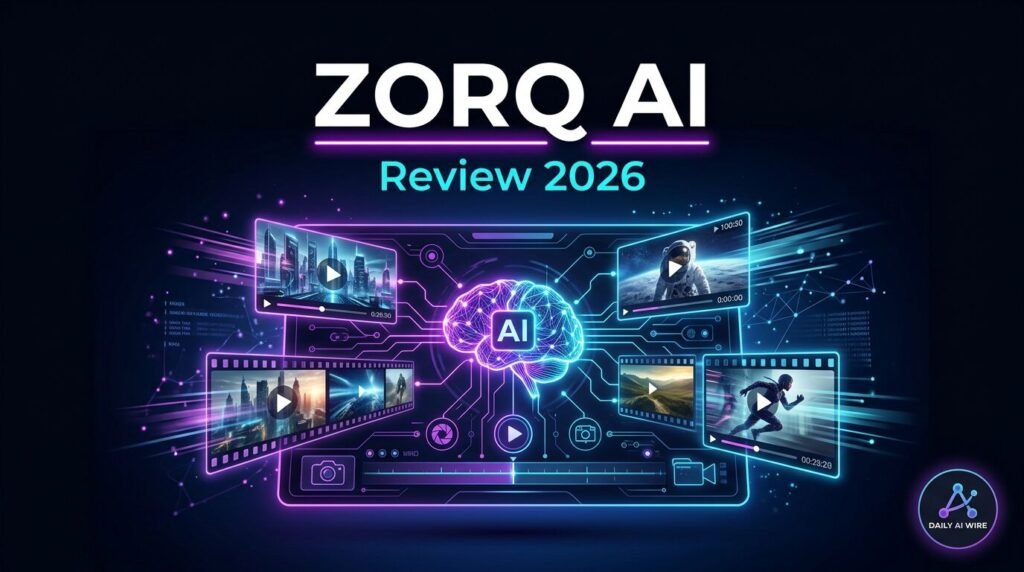
At its core, Zorq AI is an all-in-one AI image and video generation platform that brings multiple top-tier AI models — Kling, Sora 2, Google Veo 3.1, Wan 2.2, Seedream, Seedance, and more — under a single dashboard. Instead of maintaining separate subscriptions and learning curves for each, you log into one clean interface and switch between models as your project demands.
The platform targets creators, marketers, studios, educators, and brands — anyone who needs to produce high-quality visual content at scale without building a patchwork of AI subscriptions.
Over 20,000 active creators are currently using the platform, generating more than 100,000 images and 40,000 videos per month. That’s not hype — that’s a signal worth paying attention to.
Zorq AI Key Features
1. AI Video Generation
Video generation is where Zorq AI flexes hardest. You can generate short cinematic clips from text prompts or reference images using your choice of model. Clip lengths typically range from 3 to 15 seconds depending on settings and the model selected.
Available video models include:
- Kling 3.0 — professional-grade video, excellent physics and motion realism
- Kling 2.6 Pro — strong balance of quality and credit efficiency
- Sora 2 — OpenAI’s flagship model, exceptional for realistic scenes and lighting
- Google Veo 3.1 — Google’s most advanced video model, cinematic quality
- Wan 2.2 — great for animated and stylized outputs
- Seedance 1.5 Pro — dance and fluid motion generation
Generation speed is solid. Most 5-second clips complete in 40–90 seconds.
2. AI Image Generation
Image generation is handled primarily through the Seedream model family (4.0, 4.5, and the newer 5 Lite), known for photorealistic results and accurate text rendering — a notoriously hard problem for most image models. You also get access to Nanobanana Pro for portrait-heavy work, which delivers impressive skin tones and facial detail.
3. Kling Motion Control
One of Zorq AI’s standout features. Motion Control lets you guide camera paths, define subject movement, and transfer motion from reference clips. It’s particularly effective for character walks, cinematic pans, and controlled camera movements — areas where most text-to-video tools still feel unpredictable.
4. AI Influencer Builder
Train a consistent virtual persona — a digital character with a fixed face, style, and appearance — that holds up across images and videos. Train it once, deploy it across every asset you create. This is a significant time-saver for brand teams and solo creators building a recurring visual identity.
5. AI Prompt Assist
Zorq AI automatically analyzes your raw prompt and rewrites it to be model-optimized — adjusting for format, quality settings, aspect ratio, and the specific strengths of whatever model you’ve selected. In practice, this meaningfully improves first-generation output quality, especially for complex or stylized scenes.
6. MultiGen Engine
Generate multiple variations of the same prompt in a single batch while keeping character faces, lighting, and style consistent. Useful for A/B testing ad creatives, building storyboard options, or quickly iterating on a concept. One important note: each variation costs credits separately — more on that in the pricing section.
7. Image Upscaling
One-click upscaling to 4K. Zorq AI sharpens, restores, and enhances images without requiring a separate tool. Available on all plans for images; Ultra 4K video is restricted to the Unlimited tier.
8. Lip Sync
Sync AI-generated or uploaded video to audio for talking-head content and explainer-style videos. Works well for simple dialogue; highly expressive or accent-heavy audio can see minor imperfections.
AI Models Available on Zorq AI
Here’s a quick reference for the model lineup and what each one is best for:
| Model | Best For |
|---|---|
| Kling 3.0 | Cinematic video, professional-grade motion |
| Kling 2.6 Pro | Balanced quality and credit cost |
| Kling Motion Control | Guided camera and subject movement |
| Sora 2 | Realistic scenes, lighting, natural physics |
| Google Veo 3.1 | High-fidelity cinematic video |
| Wan 2.2 | Animated/stylized video, image-to-video |
| Seedance 1.5 Pro | Dance and fluid motion |
| Seedream 4.5 | Photorealistic images, text rendering |
| Nanobanana Pro | Portrait work, consistent character faces |
| Kling O1 Edit | AI-powered video editing and effects |
That’s 15+ models in one workspace — a lineup that would cost significantly more if subscribed to individually.
How to Use Zorq AI: Step-by-Step
Getting started is straightforward:
- Sign up at zorqai.com and choose a plan
- Select your output type — Image or Video
- Upload a reference (optional, but improves consistency)
- Choose your model from the available lineup
- Write your prompt — or let Prompt Assist refine it automatically
- Set your parameters — duration, aspect ratio, quality tier
- Generate — review variations with MultiGen, then download your output
The interface is clean and doesn’t require any technical background to navigate. Most users are generating their first output within minutes of signing up.
Zorq AI Pricing: Plans, Credits & What They Actually Get You
Zorq AI uses a credit-based system. Every generation — image or video — deducts credits from your monthly pool. The number of credits consumed per generation depends on three factors: the model you select, the quality tier (Basic / High / Ultra 4K), and the type of output (image vs. video).
Current Plans (April 2026)
| Plan | Monthly Price | Credits/Month | Cost per Credit | Best For |
|---|---|---|---|---|
| Beginner | $14.99/mo | 200 | ~$0.075 | First-time testing |
| Starter | $34.99/mo | 500 | ~$0.052 | Casual creators |
| Creator | $89.99/mo | 1,400 | ~$0.043 | Regular producers |
| Unlimited | $249.99/mo | 5,000 | ~$0.025 | Agencies, power users |
Annual billing saves approximately 25–50% depending on tier. Always verify current pricing at zorqai.com/credits.
How Many Videos Do You Actually Get?
This is the number that matters more than the plan name. At high quality (roughly 15–30 credits per clip):
- Beginner: ~7–13 video clips per month
- Starter: ~17–33 video clips per month
- Creator: ~47–93 video clips per month
- Unlimited: ~167–333 video clips per month
Credit Costs by Output Type
| Output Type | Quality | Estimated Credits |
|---|---|---|
| Standard image (Seedream 4.0) | Basic | ~1 credit |
| High-detail image (Seedream 4.5) | High | ~1.5 credits |
| Short video (720p, standard model) | Basic | ~5–10 credits |
| Video (Kling / Sora 2, 1080p) | High | ~15–30+ credits |
| MultiGen (4 variations) | Any | 4× the single cost |
Things to Know Before You Subscribe
- Credits do not roll over. Any unused credits at the end of your billing cycle are forfeited.
- MultiGen charges per variation — not per batch. Four variations = four credit deductions, even on the Unlimited plan.
- “Unlimited” has a cap. The Unlimited plan gives you 5,000 credits. Image generation is effectively unlimited; video still consumes from your pool.
- Introductory pricing: Your first billing cycle may be discounted. Check your renewal rate before subscribing — it will be higher than the promotional rate shown.
- 7-day money-back guarantee is mentioned on select plan pages. Confirm availability for your chosen tier before relying on it.
Credit-saving tip: Draft at Basic quality, finalize at High. This single habit can stretch your monthly budget by 30–40%
Is Zorq AI Free?
Short answer: no — not in any meaningful sense.
There is no permanent free plan with a monthly credit refresh. Some sources indicate new signups may receive a small number of trial credits (reportedly around 10), but that’s enough for only a handful of basic image generations or one short video clip at standard quality.
Zorq AI is a paid-first platform. The 7-day money-back guarantee functions as the practical trial window if you want to test it before committing.
Zorq AI vs. Competitors
Zorq AI vs. Kling AI
Kling is arguably the best individual video model for motion realism and physics. But accessing Kling’s latest versions requires its own subscription, its own dashboard, and its own billing cycle. Zorq AI gives you Kling — including Motion Control — plus a dozen other models, Prompt Assist, and MultiGen in one place. For creators who don’t want to live inside a single model’s ecosystem, Zorq is the more practical choice.
Zorq AI vs. Runway
Runway is the stronger choice if your workflow involves deep in-browser editing: multi-shot storytelling, motion brush, and intricate post-generation controls. It’s built for film-maker-style work. Zorq AI, by contrast, excels at high-volume raw asset generation across multiple models. If you’re producing lots of short-form content and need model flexibility, Zorq wins. If you need a full editing pipeline inside the tool, Runway edges it out.
Zorq AI vs. Pika
Pika is more beginner-friendly and offers a meaningful free tier — useful for light users who want to experiment without spending. Zorq AI offers a far broader model selection and more advanced features (Motion Control, AI Influencer, MultiGen), but at a higher cost floor. Power users will outgrow Pika quickly; Zorq is better suited for creators who are already producing at volume.
Who Is Zorq AI Best For?
Zorq AI is the right fit for:
- Content creators producing regular short-form video for social platforms
- Marketing teams that need a high volume of visual assets and want to A/B test creatives
- Studios and agencies managing multiple visual projects simultaneously
- Brands building a consistent AI-generated visual identity (AI Influencer tool)
- Creators tired of managing 3–5 separate AI tool subscriptions
It’s less ideal for:
- Complete beginners with no budget — the free tier is minimal
- Long-form video projects — clips max out at 3–15 seconds, requiring external editing for anything longer
- Users who need a built-in timeline editor — Zorq generates assets; it doesn’t replace a video editor
Pros and Cons
Pros
- 15+ premium AI models in one dashboard — eliminates subscription fatigue
- Strong Motion Control for guided camera and character movement
- Prompt Assist genuinely improves output quality from the first generation
- MultiGen delivers fast, consistent variation batches for testing and storyboarding
- AI Influencer builder — unique feature for brand consistency across assets
- Commercial licensing included on all paid plans
- Fast generation speeds — most clips ready in under 90 seconds
- Active creator community with a built-in showcase and tutorial reward system
Cons
- No meaningful free tier — paid-first platform with minimal trial credits
- Credits drain fast on high-quality, motion-heavy, or batch output
- MultiGen charges per variation — can burn budget quickly on the Unlimited plan
- Video clip length capped at 3–15 seconds — longer projects require external stitching
- No built-in timeline editor — you’ll still need a separate tool for polish and assembly
- Prompt-sensitive — poor inputs lead to inconsistent results
Frequently Asked Questions
Is Zorq AI free to use?
Not in any sustained way. There is no permanent free plan. New users may receive a small number of signup credits, but meaningful generation requires a paid subscription starting at $14.99/month.
How does Zorq AI’s credit system work?
Credits are deducted per generation. The amount depends on the model, quality tier (Basic / High / Ultra 4K), and output type (image vs. video). Credits refresh monthly and do not roll over. Unused credits at the end of your cycle are forfeited.
What AI models does Zorq AI support?
Zorq AI currently offers 15+ models including Kling 3.0, Kling 2.6 Pro, Sora 2, Google Veo 3.1, Wan 2.2, Seedance 1.5 Pro, Seedream 4.5, Nanobanana Pro, and Kling O1 Edit. The lineup is regularly updated as new models are released.
Can I use Zorq AI outputs commercially?
Yes. Commercial licensing is included on all paid plans.
Is Zorq AI cheaper than subscribing to each AI model separately?
For most users, yes. Kling and Sora subscriptions alone can run $40–$60+ per month combined, with separate dashboards and billing. Zorq AI starts at $14.99/month and bundles multiple models in one workspace. Heavy users relying on a single model may find a dedicated subscription more credit-efficient at scale.
What happens when I run out of credits mid-month?
Generation stops until your next billing cycle resets your balance — or you upgrade your plan. There are currently no one-time credit top-up purchases available, so plan your output volume carefully if you’re on a deadline.
Final Verdict: Is Zorq AI Worth It in 2026?
For creators, marketers, and teams who are serious about AI-generated content, Zorq AI is one of the most practical tools available right now — not because it’s the best at any single thing, but because it’s very good at everything in one place.
The value proposition is simple: instead of managing three or four separate AI tool subscriptions, learning different interfaces, and juggling multiple billing cycles, you get 15+ frontier models, intelligent prompt assistance, motion control, batch generation, and a growing creator community under one roof.
The limitations are real. The credit system can be punishing for high-volume users who don’t manage quality tiers carefully, the video duration cap means you’ll still need a video editor for anything longer than a clip, and the lack of a meaningful free tier raises the barrier to entry.
But if you’re already producing AI content at any serious volume, the math tends to work in Zorq AI’s favor.
Our recommendation: Start with the Starter or Creator plan depending on your monthly output volume. Use Basic quality for drafts, High for finals. Track your credit usage in the first two weeks before committing to an annual plan.
Try Zorq AI at zorqai.com | Explore more AI tool reviews at DailyAIWire
DailyAIWire Editorial Team | April 2026 | Category: AI Tools & Reviews