

Introduction: The Challenge of Finding the Right AI Tool
Artificial intelligence has created a crowded software market. New applications appear across content creation, marketing, coding, design, research, customer service, and business automation. For entrepreneurs and small business owners, this growth brings opportunity, but it also creates a practical problem. Finding the right tool often requires hours of searching, comparing features, checking prices, and testing different platforms.
OpenFuture AI addresses this problem through a centralized directory of artificial intelligence products. Instead of visiting dozens of websites to identify potential solutions, users browse a catalog organized around categories, descriptions, and pricing information.
The directory reports more than 40,000 listed tools across 75 categories. Its purpose is discovery rather than content generation. It helps users locate software, then directs them to the providers’ websites for further evaluation.
For marketers, developers, freelancers, and content creators, this approach offers a starting point for building a more efficient software stack. Yet a large catalog does not automatically guarantee quality, reliability, or suitability.
This guide examines the platform’s features, costs, strengths, limitations, safety considerations, and alternatives. It also explains how to evaluate listed tools before incorporating them into a business workflow.
What Is OpenFuture AI?
OpenFuture AI is a web-based directory that helps people find artificial intelligence software for professional and personal tasks. Think of it as a searchable business directory dedicated to AI applications.
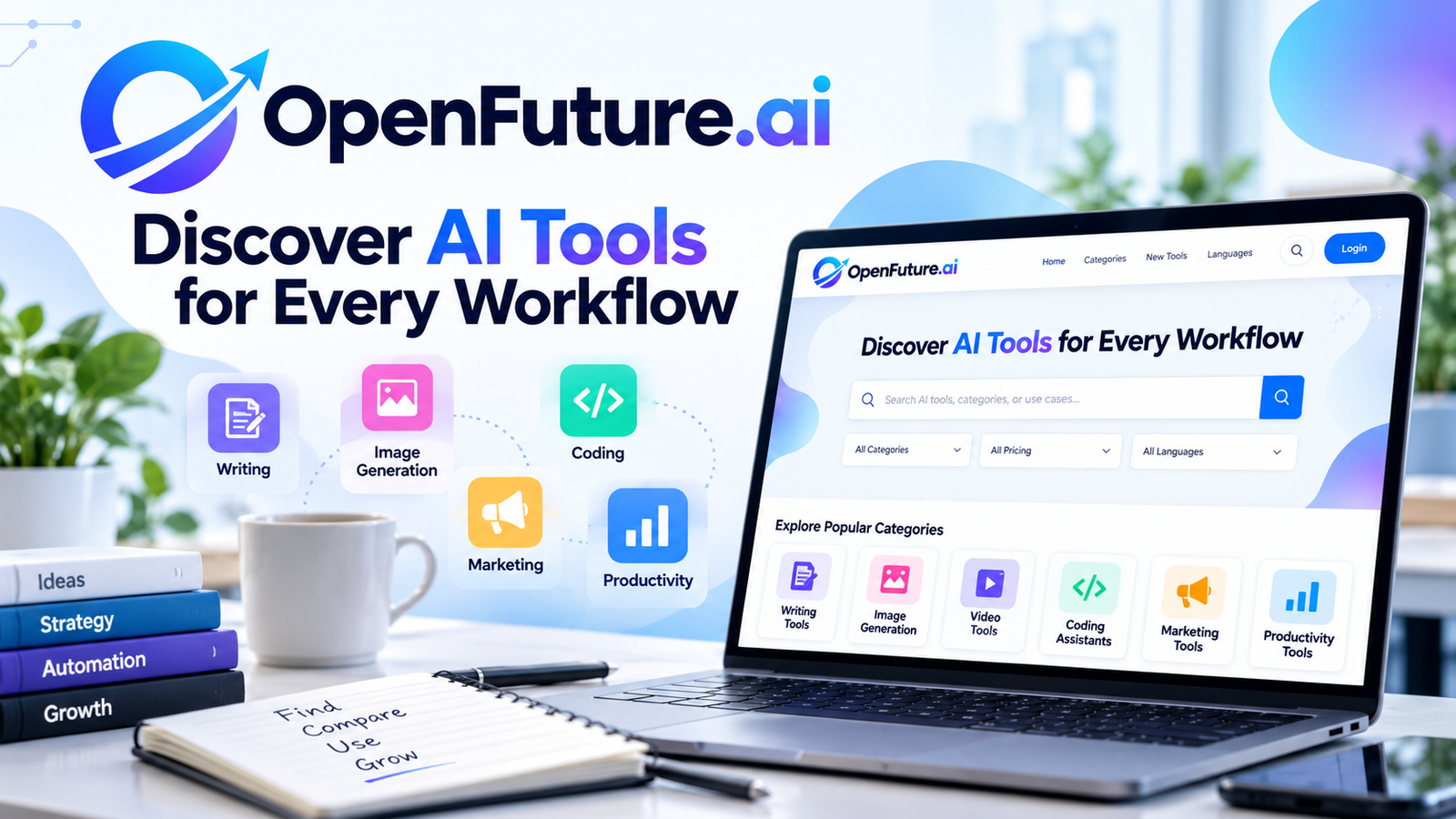
The official website, openfuture.ai, organizes tools into categories such as writing, image generation, video production, developer utilities, marketing, productivity, research, and automation.
Its main purpose is to connect users with relevant products. It does not function as a general-purpose chatbot or an AI model that performs every task directly inside the directory.
Instead, each listing provides information about a product, often including a short description, category labels, pricing classification, and an external website link. Users select a promising option and continue their research on the provider’s site.
The catalog’s displayed size changes as listings are added or removed. During research for this article, the official website displayed more than 40,500 tools and 75 categories. Treat these figures as a changing snapshot rather than a permanent count.
This distinction matters because directory size represents coverage, not verified usefulness. Some products serve specialized audiences, while others overlap with established applications. A directory helps identify candidates, but users still need to evaluate performance, support, privacy, and pricing.
3. How Does the Directory Work?
The process follows a straightforward discovery workflow.
Step 1: Define your task. Identify the problem before searching. For example, a small business might need an AI transcription service, while a developer might need a coding assistant.
Step 2: Search the catalog. Enter a product name, function, or relevant term into the search interface. Category browsing offers another route when you are exploring unfamiliar software.
Step 3: Narrow the options. Apply available category and pricing filters. These help separate free products from freemium services, paid subscriptions, and listings with uncertain pricing.
Step 4: Read the listing. Review the summary and category labels. Use this information to decide whether a product deserves further investigation.
Step 5: Visit the provider. Follow the external link to inspect the official product page, documentation, terms, and available plans.
Step 6: Test before committing. Check the product against your actual requirements. A short trial with representative work provides more useful evidence than a marketing description alone.
The directory acts as a launchpad. Product demonstrations, account creation, subscriptions, and most actual work happen on external platforms.
4. Key Features and Capabilities
A large catalog
The official website advertises more than 40,000 entries. This breadth is useful when searching for niche products that receive limited coverage from mainstream technology publications.
However, users should distinguish between the number of entries and the number of distinct, actively maintained products. Some listings might describe similar services, while others might have changed or stopped operating.
Seventy-five categories
The platform organizes its catalog into 75 categories, according to its current website presentation.
Examples include:
- Image generators and image editors.
- Writing and copywriting assistants.
- Video generation and editing tools.
- Coding assistants and developer utilities.
- Legal assistants and research applications.
- Marketing, SEO, and social media tools.
- Productivity and workflow applications.
- Audio, transcription, and speech tools.
This taxonomy gives users several ways to approach a search. Someone who knows the desired outcome but not the product name has a reason to browse by category.
Search and pricing filters
Pricing classifications include free, freemium, free trial, paid, and contact-for-pricing options. The website also displays entries whose pricing remains unknown or whose products have not launched.
These distinctions are useful for initial screening. A freelancer with a limited budget, for example, might prioritize free tools before examining subscription products.
Still, directory labels are not a substitute for checking current prices, usage limits, export restrictions, or commercial licensing on the provider’s website.
Multilingual interface
The website presents 13 language options, including English, Chinese, French, German, Korean, Spanish, Vietnamese, and several others.
Language selection improves accessibility for international users. It does not establish that every listed application supports those languages. Check the provider’s own documentation for interface language, output quality, and regional availability.
Favorites and product summaries
The directory offers brief product descriptions and external links. It also provides a favorites feature, with Google and Discord login options presented for account access.
These features help users organize their research. They do not replace detailed reviews, independent testing, or technical documentation.
The platform also presents newly added products. Its claims about update frequency should be distinguished from independently verified accuracy or completeness.

Who Should Use It?
The directory is relevant to several professional groups.
Entrepreneurs and small business owners can explore customer support, lead generation, document processing, and administrative automation software without commissioning custom development for every task.
Content creators and marketers can investigate tools for drafting, image production, video editing, keyword research, campaign planning, and social publishing.
Developers can search for coding assistants, testing utilities, API-related products, and tools supporting software development workflows.
Freelancers and agencies can compare specialized applications for client projects, helping them assess whether a new subscription would improve delivery speed or service quality.
Students and researchers can locate summarization, transcription, translation, and research tools, subject to academic integrity and institutional requirements.
Larger organizations can use directories during early market research, although procurement teams need more rigorous security, compliance, integration, and vendor assessments before approving business-wide adoption.
The common benefit is a more organized starting point. Users who already know their preferred vendor and product often gain less from browsing a broad directory.
Pricing: Is It Free?
Browsing the directory is free, and users do not need to create an account to begin exploring its catalog. Account access is relevant to features such as saving favorites.
The more important distinction is between directory access and the products listed within it.
A listing might point to a free application, a freemium service, a paid subscription, or a product offering a limited trial. Some providers charge according to usage, API requests, storage, seats, or generated output.
For example, a video generator might provide a small number of free credits but require payment for longer clips or watermark removal. A coding assistant might offer a free tier while charging for advanced models or higher usage limits.
Before adopting a tool, calculate the likely monthly cost at your expected workload. Check cancellation terms, data export options, and whether commercial use requires a paid plan.
There is no need to purchase directory access simply to browse its listings. Your actual software costs depend on the providers you choose.
Review: Pros and Cons
Advantages
Broad discovery: The large catalog increases the likelihood of finding specialized products outside familiar software brands.
Simple entry point: Search, categories, and pricing filters help reduce the initial research burden.
Free browsing: Users are able to explore options without paying a directory subscription.
Low commitment: You do not need to install every product to begin comparing candidates.
International accessibility: The multilingual interface serves users across several language groups.
Potential for new-product discovery: Recently listed applications provide another route for identifying emerging services.
Limitations
Limited depth: Short descriptions rarely provide enough evidence to judge output quality, reliability, or suitability for complex workflows.
External evaluation required: Users must visit individual product websites to inspect documentation, test features, and confirm pricing.
Listing accuracy needs verification: Product descriptions, availability, pricing, and links might change faster than directory records.
Limited independent evidence: A listing alone does not demonstrate that a product performs well. The absence of detailed on-site user reviews makes independent evaluation more important.
Unclear ownership transparency: Users who need strong accountability should investigate the operator, contact details, editorial standards, and available policies.
Catalog size can mislead: A high listing count does not establish that the directory has the best products, the most accurate descriptions, or the strongest recommendations.
The balanced verdict is straightforward. The platform is useful for generating a shortlist, but it should not serve as the final authority when selecting business-critical software.
For additional context, read the independent Fast.io review and the AI Era assessment. These provide further perspectives on the directory’s strengths and limitations.
Is It Legitimate and Safe?
A legitimate directory and a trustworthy listed product are two separate questions.
The website provides a functioning catalog, categories, product descriptions, and links to external services. Those features support its role as a discovery platform. They do not establish that every listed vendor has been independently audited.
OpenFuture AI should therefore be treated as a search resource rather than a security certification service.
Use the following checks before adopting any product:
- Confirm the domain and company identity through the provider’s official website.
- Read the privacy policy and terms of service.
- Review the permissions requested during account setup.
- Check whether uploaded documents, prompts, source code, or customer records are retained or used for model training.
- Look for independent reviews and current documentation.
- Test unfamiliar services with non-sensitive information.
- Check payment terms and cancellation procedures before subscribing.
Pay particular attention to tools requesting access to email accounts, cloud storage, customer databases, or development repositories. Such permissions introduce risks beyond ordinary browsing.
If you create a directory account, review its privacy policy and understand how account information and saved favorites are handled. Do not assume optional login features are necessary for ordinary browsing.
Directory vs. ChatGPT and Other AI Tools
A directory and an AI assistant solve different problems.
| Feature | Directory | ChatGPT |
|---|---|---|
| Main purpose | Find AI products | Answer questions and assist with tasks |
| Product catalog | Organized external listings | Not primarily a directory |
| Direct task execution | Usually occurs on external websites | Available within supported features |
| Tool discovery | Search and category browsing | Conversational recommendations and research |
| Best use | Building a shortlist | Solving problems and evaluating options |
ChatGPT helps users write, reason, analyze information, and explore solutions. A directory helps users identify applications they might want to test.
These services are complementary. For example, a marketer might use a directory to locate three email automation platforms, then use ChatGPT to create an evaluation checklist and compare their published features.
The same principle applies to image generators, coding assistants, and research products. Discovery identifies candidates. Testing establishes whether they deliver value.
Best Alternatives to Consider
Different directories suit different discovery needs. The following options provide useful comparisons.
1. Futurepedia
Website: https://www.futurepedia.io/
Futurepedia combines AI tool discovery with educational material. It suits beginners who want explanatory content and guidance before selecting a product.
2. There’s An AI For That
Website: https://theresanaiforthat.com/
This service emphasizes finding AI applications for specific tasks. It is a useful option when you know the problem but do not know which category of software addresses it.
3. Toolify
Website: https://www.toolify.ai/
Toolify provides a large AI software directory with category-based browsing and additional discovery information. It is worth comparing when you want to investigate market visibility and product trends.
4. AI Tool Hunt
Website: https://www.aitoolhunt.com/
AI Tool Hunt offers another route for browsing AI applications by use case and category. Compare its current listings and filters against your requirements.
5. Product Hunt
Website: https://www.producthunt.com/
Product Hunt covers technology products beyond AI. Its launches and community discussions are useful for discovering new software and seeing how people respond to recent releases.
6. Future Tools
Website: https://www.futuretools.io/
Future Tools focuses on AI product discovery and curated recommendations. It is worth considering when editorial selection matters more to you than raw catalog size.
The best choice depends on your research objective. Use a broad directory for coverage, a task-focused service for targeted discovery, and independent product reviews for deeper evaluation.
For a longer comparison, see Techraisal’s directory alternatives guide.
How to Use the Platform Effectively
Follow this process to turn browsing into a practical selection decision.
First, write down the business problem. Replace a vague objective such as “use AI for marketing” with a measurable task, such as producing ten product descriptions per week.
Second, establish constraints. Set a budget, identify required integrations, specify your output format, and determine any privacy or compliance requirements.
Third, search and filter. Browse the relevant category, examine available pricing filters, and collect three to five plausible candidates.
Fourth, verify each product. Open its official website. Review its current features, supported languages, usage limits, privacy terms, and pricing.
Fifth, test representative work. Use the same input and evaluation criteria across your shortlisted tools. Compare accuracy, editing effort, output consistency, speed, and total cost.
Sixth, document your decision. Record why you selected a tool, which limitations remain, and what would trigger a review of the decision.
This process prevents a common mistake: selecting software because its listing sounds impressive rather than because it solves a defined problem.
Businesses should also consider the cost of switching. A slightly cheaper product might create additional training requirements, integration work, or manual corrections. Evaluate the full workflow rather than the subscription price alone.
Frequently Asked Questions
What is OpenFuture AI?
It is an online directory for finding artificial intelligence software across multiple categories.
Is it free to use?
Yes. Browsing the directory is free. Individual products listed on it have their own pricing arrangements.
How many tools does it list?
The official website displayed more than 40,500 entries during research for this article. Counts change as listings are updated.
Does browsing require registration?
No. Basic directory browsing is available without an account. Login options are presented for features such as saving favorites.
Is it an AI chatbot?
No. Its primary purpose is to help users find software, not to provide a general-purpose conversational assistant.
What categories are available?
Categories include writing, coding, productivity, marketing, image generation, video production, research, and other specialist areas.
Is every listed tool safe?
No directory listing guarantees security. Verify each provider’s identity, permissions, privacy policy, and reputation.
Who operates the directory?
Consult the official About Us page and published legal information for available operator details. Do not infer ownership or editorial accountability from the catalog alone.
How does the directory make money?
The site’s complete revenue model is not established by the catalog itself. Advertising, promotions, affiliate arrangements, or paid placements are possible directory business models, but users should verify which arrangements apply here.
Does it provide product trials?
The directory primarily links to external product websites. Trials and demonstrations depend on the individual provider.
What are the best alternatives?
Futurepedia, There’s An AI For That, Toolify, AI Tool Hunt, Product Hunt, and Future Tools are reasonable options to compare.
Should businesses rely on it for procurement?
Use it for initial research, then conduct independent product testing, security reviews, cost analysis, and vendor due diligence before approving business-critical software.
Conclusion: Should You Use It?
OpenFuture AI offers a convenient entry point into a fragmented AI software market. Its large catalog, 75 categories, search filters, and free browsing make it useful for entrepreneurs, developers, marketers, and content creators who need to identify possible solutions.
Its main limitation is the difference between discovering a product and proving its value. Short descriptions and large listing counts do not establish product quality, data security, or long-term reliability.
Use the directory to generate a shortlist, verify candidates through official documentation, and test them against measurable requirements. Compare the results with alternatives before committing to a subscription.
Ready to begin? Visit openfuture.ai and explore the available categories. Start with one specific task, compare a few products, and choose the option that best fits your workflow, budget, and security requirements.




Leave a Reply