
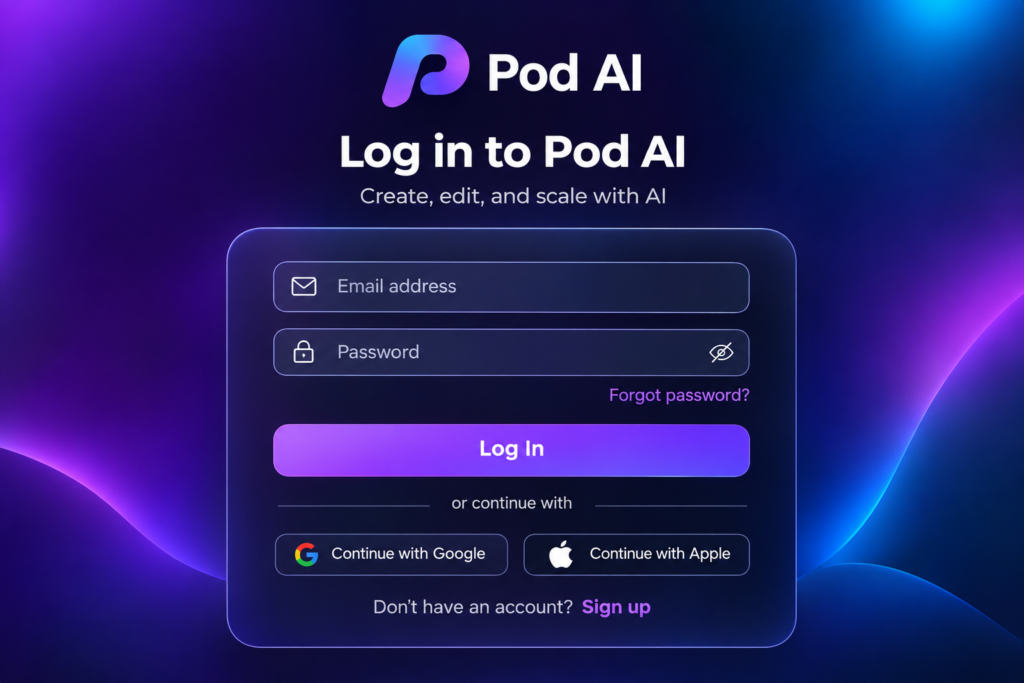
Your placement cell posts a message at 10 pm: “Interview slots are live on Pod. Check now.” You open the site, find the login screen, and there’s no “Sign up” button anywhere. Panic.
Relax. That’s how Pod is built. This Pod AI login guide gives you the official sign-in link, the exact steps to activate a new account, how to reset a forgotten password, and fixes for the errors students hit most often.
Quick note: DailyAIWire is not affiliated with Pod. We will never ask for your password. Only enter your login details on the official domain, app.pod.ai.
Quick answer
- Official Pod AI login page:
https://app.pod.ai/loginon the web, or the Pod AI app on Android and iPhone. - Use the email your college registered, usually your college email ID. A personal Gmail may not work.
- There is no public sign-up. Your college creates your account and sends you an invitation email.
- Forgot your password? Use the reset option on the login page or contact your placement cell (TPO).
- Never log in through a link in a WhatsApp forward or an unknown site.
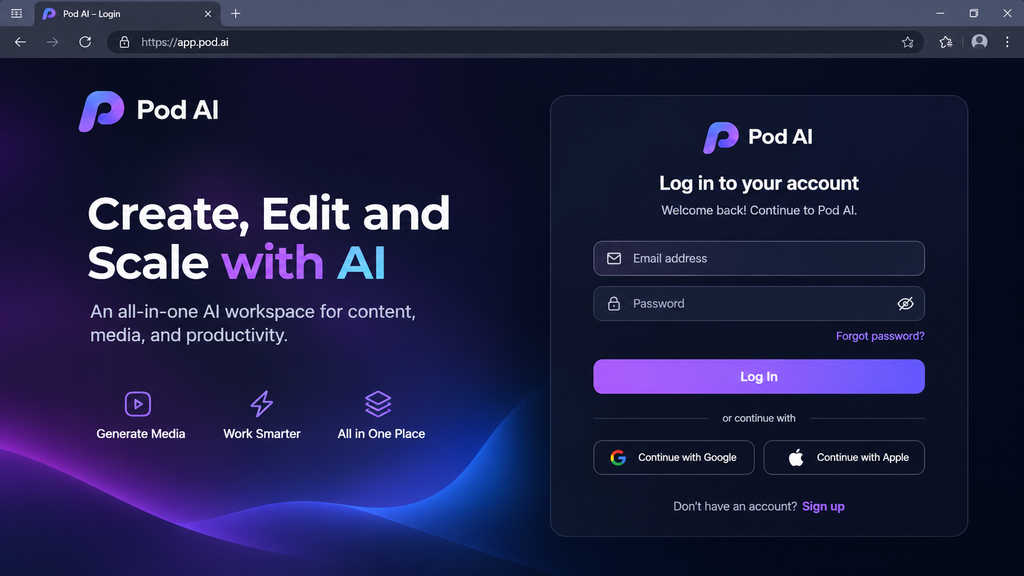
What is Pod (pod.ai)?
Pod is a career development and campus placement platform. It puts students, alumni, faculty, placement officers and recruiting companies on one private network for each college or institute.
It’s run by Calyxpod Talent Solutions Pvt. Ltd., based in Gurugram, Haryana. The company says it has more than 1.5 million active users (that’s its own figure, not an independent one).
Why it matters for login: each college has its own private Pod network. That’s why you can’t just sign up. You need to be added by your institution.
Pod AI login: official links
| Who you are | Where to log in | Official link |
|---|---|---|
| Student, alumnus, faculty, TPO (web) | Pod web app | https://app.pod.ai/login |
| Student / institution (Android) | Pod AI app | https://play.google.com/store/apps/details?id=ai.pod.colleges |
| Student / institution (iPhone) | Pod AI app | https://apps.apple.com/us/app/pod-ai/id1622386386 |
| Employer / recruiter (Android) | Pod Recruit app | https://play.google.com/store/apps/details?id=ai.pod.companies |
| Employer / recruiter (iPhone) | Pod Recruit app | https://apps.apple.com/in/app/pod-recruit/id1623362778?utm_source=chatgpt.com |
Tip: bookmark the web link once. Searching “pod login” every time is how people land on lookalike pages.
How to log in to Pod AI (step by step)
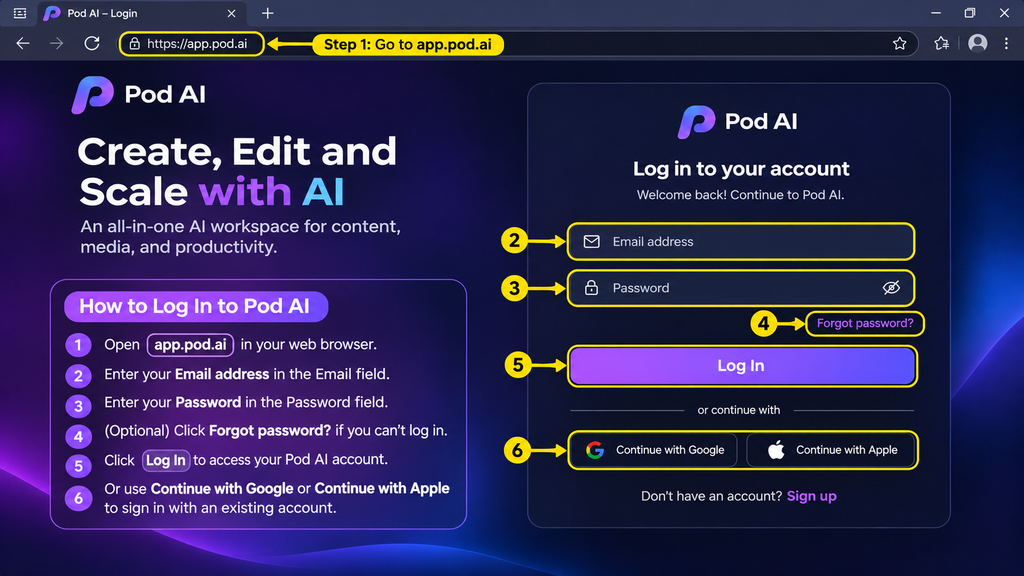
- Open
https://app.pod.ai/loginin your browser, or open the Pod AI app. - Enter the email your college registered with Pod.
- Enter your password. If you’ve never set one, go to the activation steps below first.
- Click Login. Do not claim OTP authentication is supported without a live login screenshot.
- Land on your dashboard, where you’ll see placement updates, company details, interview schedules and your application status.
If step 2 fails, you’re almost always using the wrong email. Try your college ID email before anything else.
First time? How to activate your Pod account
Your college usually uploads student details in bulk, and Pod then emails each student an invite. Here’s what to do:
- Find the invitation email. Search your inbox for “pod.ai”. Check Spam and Promotions too.
- Click Accept Invitation.Open your Pod AI invitation email and click the invitation acceptance button to join.
- Set a password. Use one you don’t use anywhere else.
- Confirm your email if it asks you to.
- Sign in at app.pod.ai with that email and your new password.
No invitation email? Do this in order:
- Ask your placement cell which email they registered for you (college or personal).
- Ask them to resend the invite.
- If invite links expire, request a fresh one rather than reusing an old email. If your invitation link no longer works, contact your institution’s administrator and request a fresh invitation.
Forgot your Pod AI password?
- On the login page, click ‘Forgot Password?’, enter your registered email address, and follow the password reset instructions.
- Enter your registered email.
- Open the reset email and set a new password.
- Log in again.
Still stuck? Contact your college placement cell first. For platform-related issues, email Pod support at support@pod.ai.
Common Pod AI login problems and fixes
| Problem | Likely cause | What to do |
|---|---|---|
| “Account not found” | Wrong email | Use the email your college registered |
| No sign-up button | By design: private college networks | Ask your TPO to add you |
| Invite link doesn’t work | Old or used link | Ask your TPO to resend the invite |
| Reset email not arriving | Spam filter or typo in email | Check Spam, wait a few minutes, retype the email |
| App won’t load or keeps logging out | Old app version or cached data | Update the app, clear cache, or try the web login |
| Alumni can’t access old college email | Account tied to that email | Contact your college placement cell to request an update to your registered email address. |
Pod AI login by role
- Students: log in with your college email to see drives, schedules, assessments and selection status.
- Alumni: your college decides whether alumni stay on its network. If you’ve graduated and can’t get in, ask the alumni or placement office.
- Faculty and placement officers (TPOs): Faculty and TPOs use Pod’s institutional platform to manage student data, coordinate recruiters and publish placement updates. Access depends on their assigned institutional permissions.
- Employers and recruiters: use the separate Pod Recruit app or the web login with your company account.
India angle: is Pod free for students?
For students, access usually comes through your college, which has a licence with Pod. Pod’s homepage doesn’t show pricing.
Red flag rule: if anyone asks you to pay to “activate” your Pod account, stop. Check with your placement cell before paying anything.
Your data: Pod holds your marks, resume and placement status. The site shows ISO 27001 and other badges. That’s the company’s own claim, so treat it as a starting point, not proof. Ask your college how long your data is kept after you graduate.
Stay safe: how to spot a fake Pod login page
- The address must be exactly app.pod.ai (or pod.ai). Watch for extra letters, hyphens or odd endings.
- Don’t log in through links in WhatsApp groups, Telegram channels or unknown emails.
- Never share your password or a one-time code with “seniors” or “placement agents”.
- If something looks off, close it and type the address yourself.
Not the Pod you were looking for?
“Pod AI” also brings up unrelated products in search:
- NVIDIA DSX POD: NVIDIA DSX POD is a modular AI data-centre infrastructure solution for enterprises. It is unrelated to the student-facing Pod Recruit platform.
- Pod at askpod.ai: Is an AI-agent knowledge-sharing platform. It is unrelated to the student-focused Pod campus placement platform
If your college uses a different placement portal (some use Superset or their own ERP), Pod login won’t work for you. Ask your TPO which portal is official.
Frequently asked questions
Where is the official Pod AI login page?
The official Pod AI login page is https://app.pod.ai/login. You can also sign in through the Pod AI app on Android or iPhone. Use only these official addresses. If a link in a group chat or email points somewhere else, don’t enter your details. Type the address yourself or use a bookmark.
How do I log in to Pod AI?
Open app.pod.ai/login or the Pod AI app, enter the email your college registered, type your password and sign in. If you’ve never set a password, activate your account first using the invitation email. Most login failures happen because students use a personal email instead of the one their college registered.
Why can’t I find a sign-up option on Pod?
Pod has no public sign-up because each college runs its own private network on the platform. Your institution adds you, usually with your college email, and Pod sends you an invitation. If you haven’t received one, ask your training and placement officer to add you or resend the invite.
How do I activate my Pod account?
Find the invitation email from Pod, checking Spam and Promotions too. Click the accept invitation link, set a password and confirm your email if asked. Then sign in at app.pod.ai with your registered email and new password. If the link fails, ask your placement cell to send a fresh invitation.
What should I do if I forgot my Pod password?
Use the forgot password option on the login page, enter your registered email and follow the reset link. If the reset email doesn’t arrive, check Spam and confirm you typed the right address. If that still fails, contact your college placement cell, which manages your account, or reach out to Pod support.
Is there a Pod AI mobile app?
Yes. Students and institutions can use the Pod AI app on Google Play and the Apple App Store. Recruiters use a separate app called Pod Recruit. The apps use the same institution-based login as the website, so sign in with the same email and password your college registered for you.
Is Pod AI free for students?
For most students, yes. Access usually comes through your college, which pays for a licence, and Pod’s homepage doesn’t list individual pricing. If anyone asks you to pay to activate your account, treat it as a warning sign and confirm with your placement cell before paying anything.
Is Pod AI safe to use?
Pod is designed as a private network for each institution, but your safety depends on logging in at the right place. Use only pod.ai or app.pod.ai, avoid links in forwarded messages, and never share your password or codes. If you’re unsure about a link, confirm it with your placement office first.
Who can use Pod?
Students, alumni, faculty, training and placement officers, colleges and recruiting companies can use Pod. What you see depends on your role and your institution’s network. Students track placement drives, placement officers manage student data and recruiters, and employers use the Pod Recruit app to hire from partner campuses.
Final word on Pod AI login
Three takeaways:
- Use the official link only: app.pod.ai/login or the official Pod AI app.
- Your college controls your account. No invite means you ask your TPO, not Google.
- Login errors are usually the wrong email. Try your college email first.
With these steps, Pod AI login should take under a minute, so you can get back to preparing for the interview that actually matters.
Want short, practical guides to the AI and career tools you use on campus? Subscribe to DailyAIWire on YouTube.
Latest DailyAIWire Posts:-