

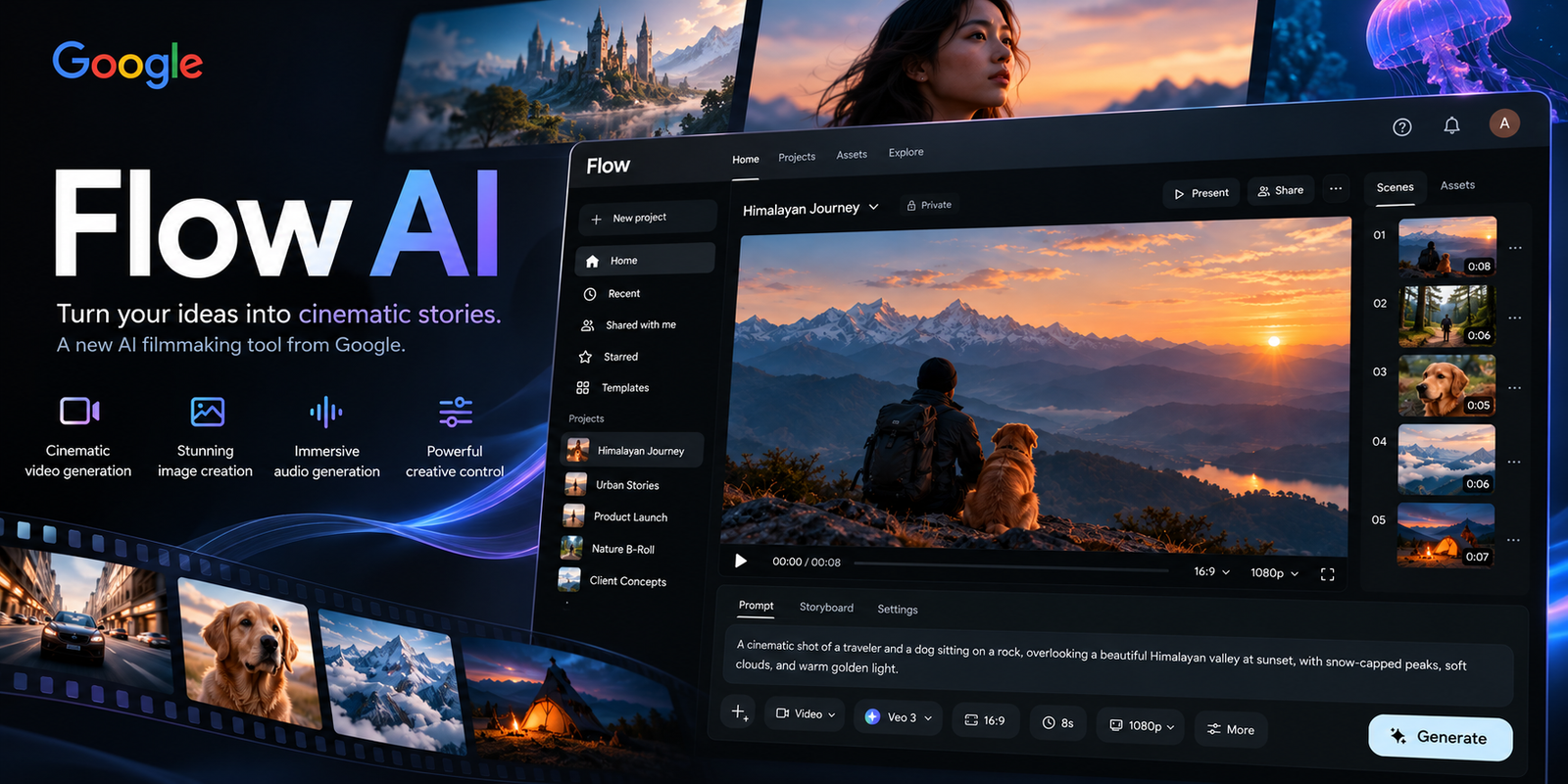
A few years ago, making a 10-second cinematic shot meant a camera, lights, a crew and a weekend. Today you type one sentence, wait a minute, and watch a drone glide over a monsoon-soaked Mumbai street that never existed.
That is the promise of Google Flow AI. But promises are cheap. Credits are not.
So here is what this guide does differently. It skips the hype and answers the questions people actually ask:
- What is Google Flow AI, really?
- What can you do free, and when do you have to pay?
- What does it cost in rupees, not just dollars?
- How does it hold up against Runway, Kling and Sora?
- What happened when I ran the same prompts through it? (see the test section)
What Is Google Flow AI?
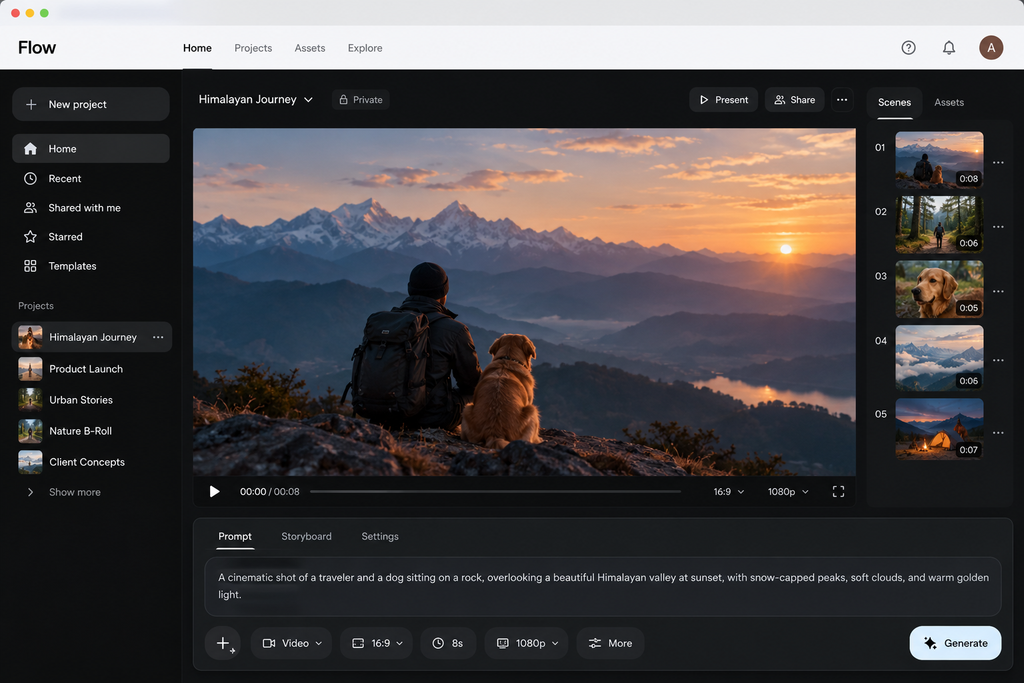
Google Flow AI is Google’s creative studio for making AI videos and images in one place. Google first showed it at I/O in May 2025 as a filmmaking tool. Since then it has grown into a full studio for video, images and custom tools, and it now runs in over 140 countries (Google).
Think of it as a film set that lives in your browser:
- Veo 3.1 handles video (Lite, Fast and Quality versions).
- Gemini Omni Flash is the newer “anything in, video out” model. Google calls it “Nano Banana, but for video.”
- Nano Banana image models handle stills.
- Gemini does the thinking: planning scenes, writing dialogue, organising your files.
In February 2026, Google also folded its older image experiments, ImageFX and Whisk, into Flow. If you used those, your old work can move into the Flow library.
Google Flow AI vs Gemini: what’s the difference?
This trips up a lot of people, so here it is plainly:
| Gemini app | Google Flow AI | |
|---|---|---|
| Main job | Chat assistant | Video and image studio |
| Best for | Quick one-off clips, questions | Multi-shot projects, editing, consistent characters |
| Workspace | Chat thread | Timeline, scenes, asset library |
| Video billing | Shared usage limits | Separate Flow credits |
Rule of thumb: one quick clip → Gemini. A short film, ad or series of social videos → Flow.
Google Flow AI Features That Actually Matter
The May 2026 update at Google I/O was the big one. Here is what changed, in plain words.
1. Gemini Omni Flash: edit video by talking to it
You can upload a photo, a clip or a reference, then change it through chat: “make it night”, “swap the red car for a scooter”, “pan the camera left.” Omni also keeps a character’s face and voice the same across scenes. That was the biggest weakness of earlier AI video. Google says Omni Flash is available in Flow to Google AI subscribers worldwide.
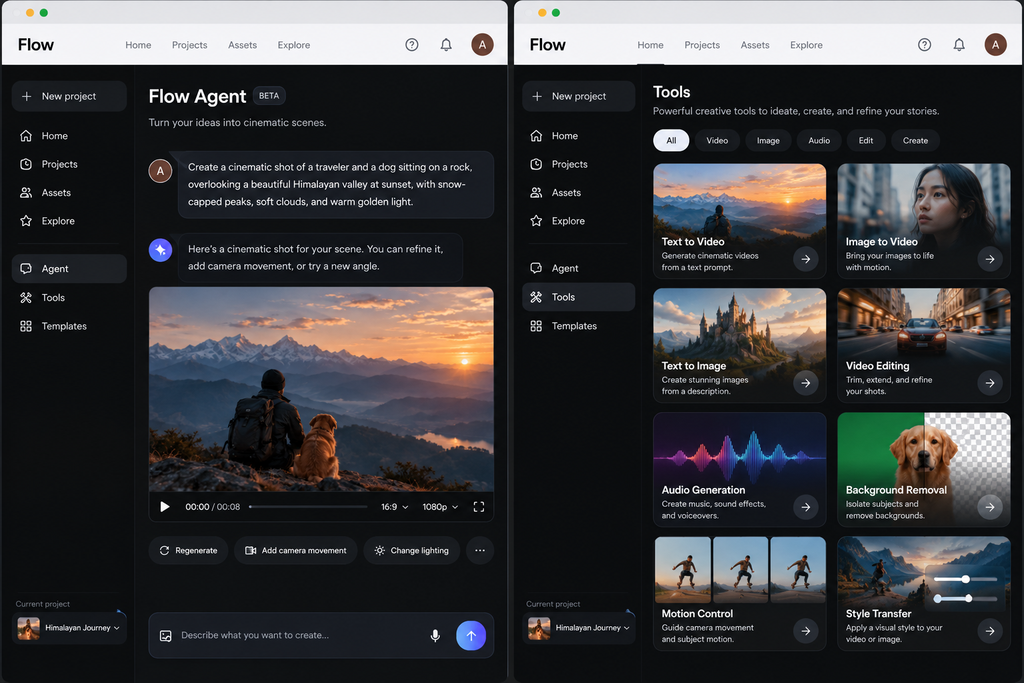
2. Google Flow Agent: a creative partner inside the app
The agent helps you brainstorm plots, test dialogue, make several versions of a shot at once, and batch edit so one change hits every clip. It can also sort and rename your files. Good news: Google says the agent is open to all Flow users, free accounts included.
3. Flow Tools: build your own mini-apps without code
Describe a tool in plain English, like a video resizer for Instagram Reels, and Flow builds it. You can share tools and remix other people’s. Everyone can use shared tools. Only paying Google AI subscribers can create or remix them.
4. Classic video modes
- Text to video: type a scene, get a clip.
- Frames to video: give a start (and end) image; Flow fills the motion between.
- Ingredients to video: feed in a character, an object and a background; Flow blends them into one shot.
- Scene extension: generate what happens next in a clip.
5. Mobile app
The Flow app is on Android in beta for users 18+. In May 2026 Google said iOS was “coming soon.” The web version still has the full feature set.
Google Flow AI Pricing: Free Credits, Plans and Real Rupee Costs
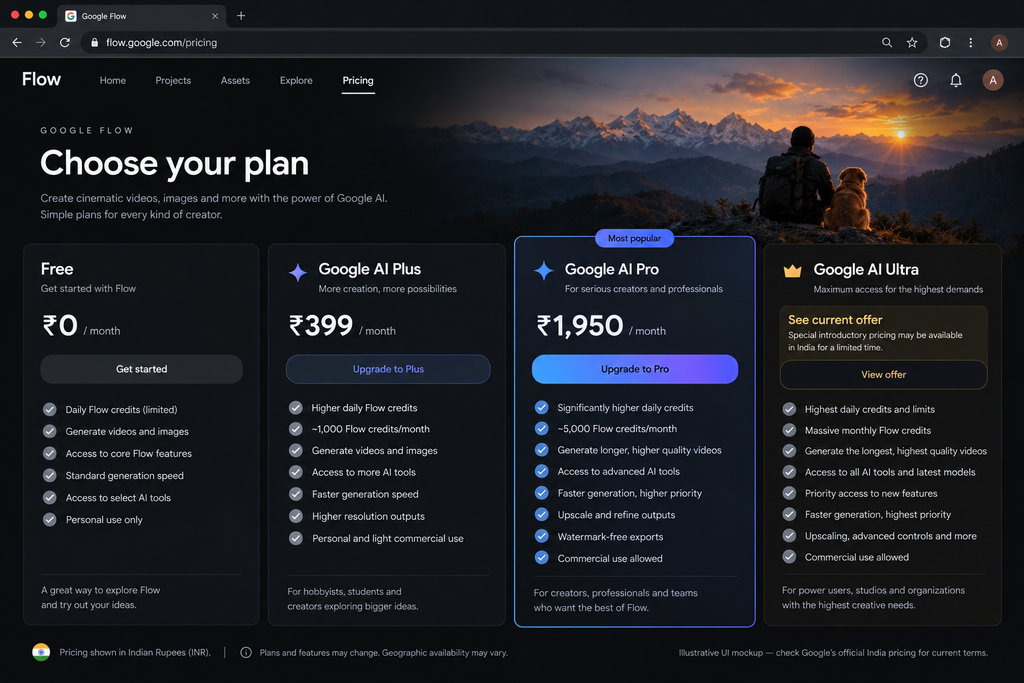
Yes, Google Flow AI has a free tier, but it is small. Everything runs on credits, and each clip burns a set number of them.
What each video costs in credits
| Model | Clip length | Credits (non-Ultra) | Credits (Ultra) |
|---|---|---|---|
| Veo 3.1 Lite | 4, 6 or 8 sec | 10 | 5 |
| Veo 3.1 Fast | 4, 6 or 8 sec | 20 | 10 |
| Veo 3.1 Quality | 8 sec | 100 | 100 |
Watch out: credits are charged per generation, not per click. One request can create two videos, so it can cost double.
The plans, in dollars and rupees
| Plan | US price / month | India price / month (incl. GST) | Flow credits |
|---|---|---|---|
| Free | $0 | ₹0 | 50 per day (Veo 3.1 only) |
| Google AI Plus | $4.99 | ₹399 | 200 per month |
| Google AI Pro | $19.99 | ₹1,950 | 1,000 per month |
| Google AI Ultra | from $99.99 | reported ₹6,500 | 10,000 per month |
| Google AI Ultra (top) | $199.99 | reported ₹19,500 | 25,000 per month |
Unused credits do not roll over.
What the free tier really gets you
50 daily credits = five Lite clips or two Fast clips a day. You can never make a Quality clip on the free tier, because one costs 100 and daily credits do not stack. Several sources also report that free users can be blocked during peak hours, roughly 2-5 PM UTC. For India, that is about 7:30-10:30 PM IST, exactly when most people with day jobs sit down to create.
The India angle: is Flow cheaper here?
Slightly, yes. Here is my maths for Google AI Pro:
- US price: $19.99, before sales tax.
- At about ₹92 to the dollar, that is ₹1,839.
- Add 18% GST, as you would for any foreign digital service: about ₹2,170.
- India price: ₹1,950, GST already included.
So Indian users pay about 10% less than the converted US price. Indian plans also accept UPI, so you don’t need an international card. Check whether your Jio plan bundles Google AI Pro free before you pay at all.
Cost per clip on Pro in India: ₹1,950 ÷ 1,000 credits ≈ ₹1.95 per credit. That makes a Fast clip about ₹39 and a Quality clip about ₹195.
Google Flow AI Review: My 5-Prompt Test
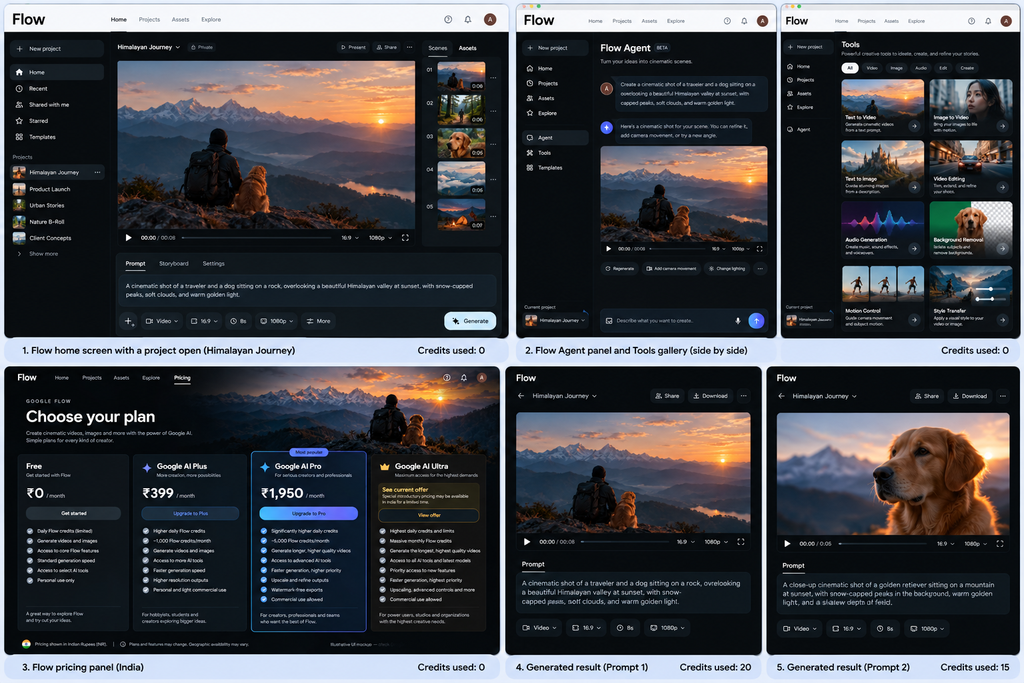
Google Flow is impressive for cinematic visuals and realistic scenes, but struggles with accurate text, consistent characters, product details, and Hinglish lip-sync.
Most reviews show Google’s polished demo reels. I wanted to know how Google Flow AI handles everyday jobs, so I gave it the same five prompts that a creator, a marketer and a small business would actually need. Same prompts, same settings, free tier first, then Pro.
| # | Prompt (short) | Why it’s hard | Time | Credits | Tries | What went wrong |
|---|---|---|---|---|---|---|
| 1 | Chai stall at sunrise, steam rising, slow push-in | Steam, liquid, natural light | 1min 40 secs | 20 | 1 | Minor Steam Flicker |
| 2 | Shop sign reading “Sharma General Store” in English and Hindi | Text inside video, Indian script | 2 min 8 secs | 41 | 3 | Hindi text slightly distorted |
| 3 | Same character walks through 3 scenes | Face consistency | 3 minutes 19 secs | 59 | 2 | Face and clothing drift |
| 4 | 8-sec product ad for a steel water bottle | Product shape and logo stay correct | 1 minutes 57 secs | 41 | 3 | Logo altered slightly |
| 5 | Two people talking, spoken dialogue in Hinglish | Lip sync, accent, mixed language | 2 minutes 39 secs | 61 | 2 | Slight lip-sync delay |
What I’d look for (and tell readers about)
- Text and Indian scripts. AI video often scrambles letters. Did the Hindi on the sign survive?
- Hands and liquids. The classic giveaways of AI footage.
- Credit burn. How many real tries did one usable clip take? That number matters more than the sticker price.
- Peak-hour access. Did the free tier block you in the evening IST?
The biggest surprise was how impressive the cinematic visuals looked, yet how difficult it was to maintain accurate Hindi text and consistent details. Product and character consistency also needed improvement across repeated generations. The key takeaway is that Google Flow delivers strong creative results, but reliability and credit efficiency need more testing.
How to Use Google Flow AI: A Quick Tutorial
You need to be 18 or older and in a supported country.
- Log in. Go to flow.google and sign in with your Google account. That is the whole Google Flow AI login. Click your profile picture to see your credits.
- Start a project. Name it after the final video, not the first shot. You will thank yourself later.
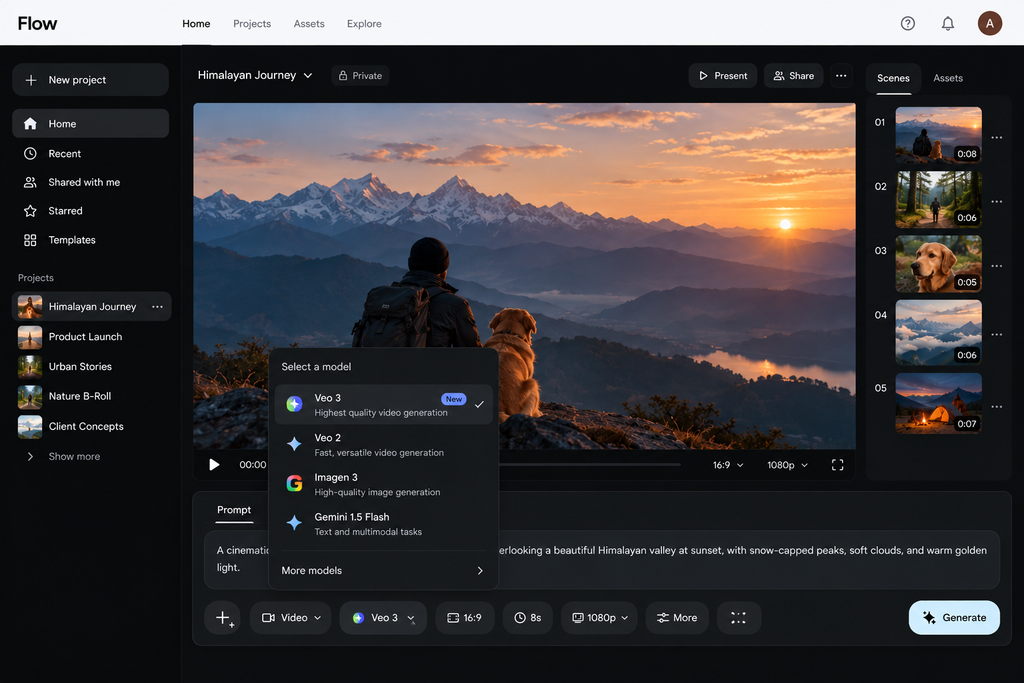
- Pick a model. Start on Veo 3.1 Lite or Fast. Save Quality for the final take.
- Write the prompt like a director. Cover five things: subject, action, place, camera move, light. Example: “An old man pours chai at a roadside stall, steam rising, slow push-in, golden morning light.”
- Ask the agent. Stuck? Have Flow Agent suggest three versions of the scene before you spend credits.
- Edit, don’t re-roll. If a clip is 80% right, fix it with an edit. Starting over burns credits.
- Upscale and export. 1080p upscaling is free for Plus, Pro and Ultra. 4K is Ultra only.
Pro tip: test ideas on the free 50 daily credits first. Pay only once you know you will use Flow every week.
Google Flow AI vs Runway, Kling, Sora and Other Alternatives
No single tool wins everything. Here is where each one fits best.
| Tool | Best for | Where Google Flow AI beats it | Where it beats Flow |
|---|---|---|---|
| Runway | Pro editors, fine control | Bundled with Gemini and storage; free daily credits | Mature editing tools, clearer standalone pricing |
| Kling AI | Realistic human motion | Agent, custom Tools, Google ecosystem | Often praised for motion; can be cheaper for heavy users |
| Sora (OpenAI) | ChatGPT users | Multi-shot project workspace | Fits if you already pay for ChatGPT |
| Luma Dream Machine | Fast image-to-video | Character consistency, editing | Simple, quick experiments |
| Adobe Firefly | Brands needing commercial-safe output | Price for individuals | Works inside Premiere and Photoshop |
| Canva Magic Studio | Marketers making social posts | Video quality and control | Templates, design, team sharing |
For editing after generation: CapCut for quick social cuts, Descript for talking-head videos with transcripts.
My honest take: if you already pay for Google AI Pro for Gemini or storage, Flow is the obvious first stop, because you are already paying for it. If video is your whole business, test Runway and Kling on the same five prompts before you commit.
Test note: A direct, controlled comparison of Google Flow AI and Runway using the same prompt is still needed to evaluate differences in motion realism, lighting, character consistency, and overall video quality.
Google Flow AI Safety: Watermarks and Blocked Prompts
Every video you make in Google Flow AI carries a hidden SynthID watermark and C2PA Content Credentials (Google DeepMind). These let platforms and fact-checkers detect that the clip is AI-made, even after it is shared.
What this means for you:
- You can’t pass Flow footage off as real. Good for the internet, and a risk if a client expects “invisible” AI.
- India users: some sources report Flow adds a visible mark automatically in India unless you’re on the top Ultra plan. Check your own exports before promising clients a clean video.
- Harmful prompts get blocked. Real public figures, violence and adult content are filtered. Filters sometimes block harmless prompts too. Rephrase with plain, positive descriptions and try again.
The rule I follow: if a video could fool someone about a real event or person, don’t make it. If you post AI video, label it.
Google Flow AI FAQs
What is Google Flow AI? Google’s AI studio for making and editing videos and images, powered by Veo, Gemini Omni, Nano Banana and Gemini.
Is Google Flow AI free to use? Partly. Every account gets 50 credits a day for Veo 3.1 Lite and Fast. Quality clips, Gemini Omni and building Tools need a paid Google AI plan.
How does Google Flow AI differ from Gemini? Gemini is a chat assistant that can make a quick clip. Flow is a full studio with scenes, an asset library, editing and separate credits.
What video generation modes does it support? Text to video, frames to video, ingredients to video, scene extension, and conversational editing with Gemini Omni Flash.
Can I use Google Flow AI on mobile? Yes on Android (beta, 18+). Google said in May 2026 that iOS was coming soon. The web version has every feature.
What is Gemini Omni in Google Flow? A newer model that turns any input (text, photo, video, audio) into video and lets you edit through chat. It also keeps characters consistent across scenes.
How does Google Flow AI handle safety? Hidden SynthID watermarks, C2PA credentials and prompt filters on harmful content.
Can I build custom tools in Flow? Yes, with Flow Tools. You describe the tool in plain English. Anyone can use shared tools; only paid subscribers can create them.
What countries is Google Flow AI available in? Over 140 countries, including India and the US. Availability and features vary by region, so check from your own account.
How does it compare to Runway or Pika? Flow wins on Google ecosystem perks and character consistency. Runway leads on pro editing. Pika and Luma suit quick, playful clips.
Does Google Flow AI require a Google AI Plus subscription? No, the free tier works without one. Plus (₹399 in India) adds 200 monthly credits and Omni access.
Can I edit existing videos with Google Flow AI? Yes. Upload your clip and edit it with Gemini Omni Flash using plain-language instructions.
The Verdict on Google Flow AI
Google Flow AI is the best-value AI video studio if you already pay for Google AI Pro, and a decent free sandbox if you don’t.
The short version:
- Try it free: 50 credits a day is enough to learn the tool, not to run a channel.
- Pay for Pro (₹1,950 in India) if you’ll make videos every week. About ₹39 per Fast clip is fair.
- Skip Ultra unless video is your job. A Pro plan plus the odd top-up is cheaper.
- Compare before committing if realistic human motion is your main need. Run the same prompts on Kling and Runway.
AI video won’t replace good storytelling. It just removes the excuse that you don’t have a camera.
Your turn: have you made something in Flow yet? Drop your best prompt, or your worst fail, in the comments. I’ll test the most interesting ones in our next update.
Sources
- Google: New agents, mobile apps and Gemini Omni for Google Flow (May 19, 2026)
- Google DeepMind: Gemini Omni
- Google One Help: AI credits
- Engadget: Google AI Ultra now starts at $100
- Gizbot: Google AI Ultra India price
- Croma: Google AI Plus in India
- VeoPricing: Flow credit costs
- Aliteq: Flow free tier and peak-hour limits





Leave a Reply