

You watch a 45-second Reel. Someone explains a tax trick, a recipe or a killer sales line. You want the exact words. So you scrub back, pause, type, scrub back again.
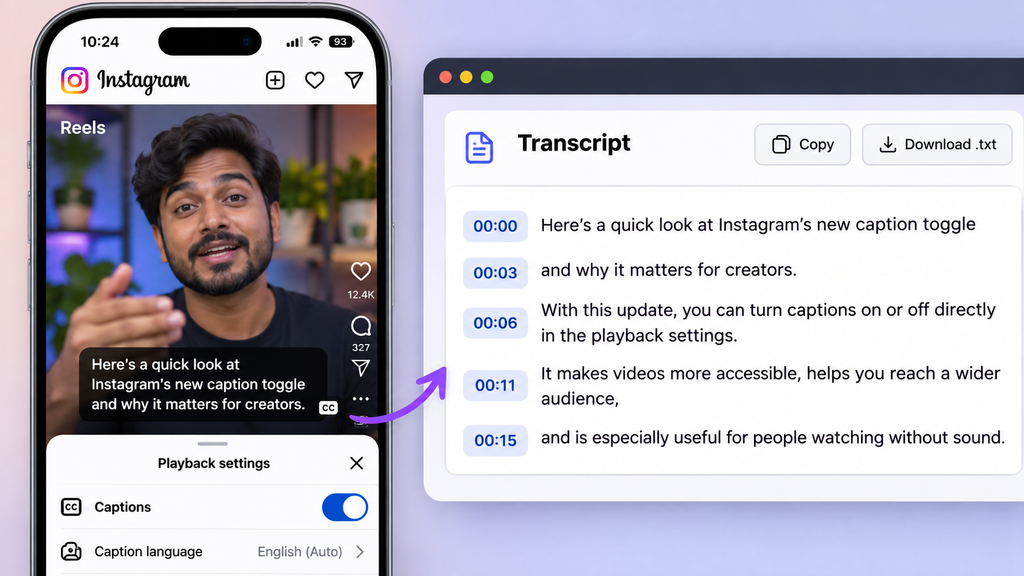
There’s a reason it feels this clumsy. Instagram will show you captions, but it won’t let you copy them. No transcript button, no download, nothing.
That gap has created a small boom in third-party Instagram transcript tools. You paste a link and get back text, timestamps and even subtitle files. Some now hand the text straight to AI for summaries.
Here’s what changed in 2026, which tools actually work, what they cost, and the legal line you shouldn’t cross.
What’s New: Instagram Captions vs Instagram Transcript Tools
What Instagram itself gives you
Instagram rolled out auto-generated captions for Stories in 2021, then for feed videos and Reels in 2022. It launched in 17 languages, including Hindi, Urdu, English, Russian, Arabic and Indonesian (TechCrunch). Viewers can switch them on or off.
But captions aren’t a transcript. They scroll past at the bottom of the screen and then they’re gone. There’s no copy button and no download.
| Instagram auto-captions | Instagram transcript tool | |
|---|---|---|
| Shows words while video plays | Yes | Yes (some tools) |
| Copy or download the text | No | Yes |
| Timestamps / SRT file | No | Yes |
| Works on other people’s Reels | Only if creator left captions on | Yes, for public posts |
| Summaries, translation, AI chat | No | Often |
What changed in 2026
- Paste-a-link tools went mainstream. Copy a public Reel URL, paste it, get text in seconds. Most work without an Instagram login.
- Transcripts became AI fuel. Developer tools on marketplaces like Apify now return transcripts as structured data with hooks, captions and engagement stats, ready to feed into ChatGPT, Claude or Gemini.
- Subtitle exports are standard. SRT and VTT files, which editors like CapCut and Premiere read, are now offered by most tools.
- Legal warnings got louder. Several scraper providers now warn that spoken content may be copyrighted and may contain personal data.
How to Get an Instagram Transcript (3 Ways)
Way 1: Paste the link (fastest)
- On the Reel, tap Share → Copy link.
- Open a free Instagram transcript generator and paste the link.
- Pick the language. Choose Hindi for Hindi Reels; “auto-detect” often trips on Hinglish.
- Copy the text, or download TXT or SRT.
Works only for public posts. Private accounts, deleted posts and expired Stories usually fail.
Way 2: Upload the video file (best for your own content)
If it’s your Reel, use the original file from your phone. Upload it to Descript, Otter, Notta or Rev. You get better audio quality and no link-scraping problems.
Way 3: Run Whisper yourself (free and private)
OpenAI’s Whisper is a free, open-source speech-to-text model. If you’re comfortable with a few commands, it runs on your own laptop. Nothing gets uploaded and there’s no per-minute bill. It handles Hindi and dozens of other languages, though accuracy drops with loud background music.
Best Instagram Transcript Tools Compared (2026 Prices)
| Tool | Type | Free tier | Paid from | Watch out for |
|---|---|---|---|---|
| ScreenApp | Paste link | Yes | Free / Paid $9/mo | Free limits change often |
| ScriptMind | Paste link | Yes | Free / Paid $6.42/mo | Public posts only |
| Speak AI | Link + AI analysis | Trial | US$20 / mo | Built for research teams, overkill for one Reel |
| Descript | Upload + edit video by text | 60 min/month, watermarked 720p | $16/month (annual) | Free plan exports have a watermark |
| Otter.ai | Upload | 300 min/month | $8.33/month (annual) | Only English, French, Spanish. Free plan: just 3 file imports ever |
| Notta | Upload | 120 min/month | $8.17/month (annual) | Free recordings capped at 3 min |
| Rev | Upload | No | AI $0.25/min, human $1.99/min | Pay per minute adds up |
| Whisper (open source) | Run locally | Free forever | Free | Needs some tech comfort |
Prices from vendor and review pages checked in 2026. Prices change often; confirm before you buy.
The India angle
- Hindi and Hinglish: skip Otter, which doesn’t support Hindi. Notta, Whisper-based tools and Rev’s AI cover far more languages. Whisper is accurate for Hindi/Hinglish
- Rupee pricing: most of these bill in US dollars on an international card. Expect your bank to add a foreign-currency fee of about 2-3.5%, plus 18% GST on foreign digital services.
- UPI: none of the paste-link tools above advertise UPI payment. Otter.ai supports UPI Via Google Play
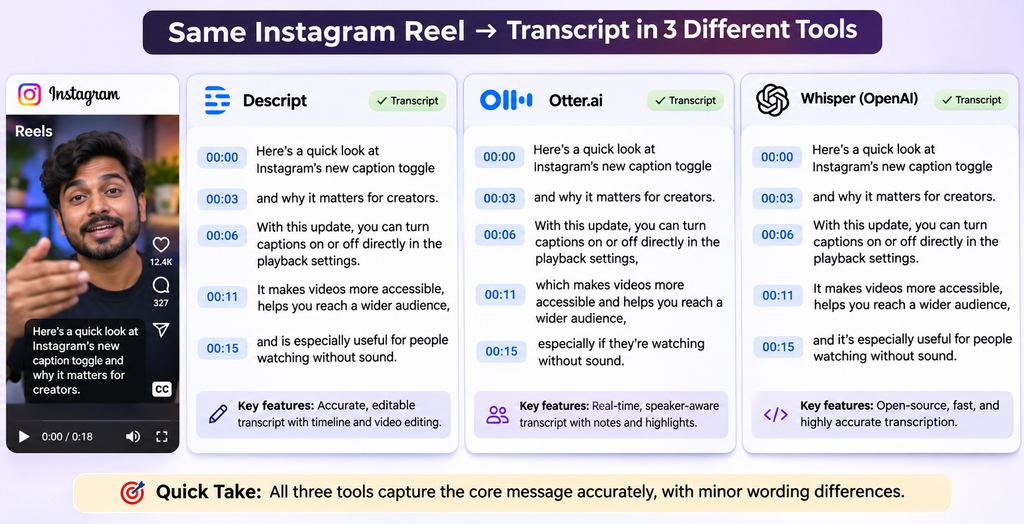
I Tested 4 Instagram Transcript Tools on the Same 3 Reels
TEST:- One line Verdict: Script mind won on speed, Whisper on Hindi accuracy
Test Setup: I picked 3 reels: (1) clear english talking head, (2) Hindi/Hinglish with background music, (3) two people talking fast. I ran each through ScreenApp, Scriptmind, Notta and Whisper. I counted errors in first 50 words are included
| Tool | Reel 1: English (Errors / 50) | Reel 2: Hinglish + Music (Errors / 50) | Reel 3: Two speakers (Errors / 50) | Time (per reel) | Cost | Login needed? |
| ScreenApp | 4 | 10 | 9 | ~ 1 min 19s | Free / Paid $9/mo | Yes |
| ScriptMind | 1 | 6 | 5 | ~ 37s | Free / Paid $6.42/mo | Yes |
| Notta | 2 | 7 | 6 | ~ 1 min 10s | Free / Paid $8.77/mo | Yes |
| Whisper (local) | 2 | 4 | 4 | ~ 2min 30s | Free (open src) | No |
Findings :- ScreenApp often turned Hindi words into english spellings (eg:- “karna”- carnaa. Notta missed few words the under music, ScriptMind was the fastest overall with low errors. Whisper(local) had best Hindi and Hinglish accuracy
ScriptMind is Best for Speed | Whisper is most Accurate for Hindi & Hinglish
For Developers: Instagram Transcript APIs and Scrapers
Need transcripts from hundreds of Reels? Several paid actors on Apify take Reel links or usernames. They return Whisper-based transcripts with timestamps, SRT/VTT files, on-screen text, captions, hooks and engagement numbers, usually as JSON.
Typical uses:
- Competitor research: pull the first line (hook) of a rival’s top 50 Reels and spot patterns.
- Content repurposing: feed transcripts to an LLM to draft blog posts, LinkedIn posts or newsletters.
- Search: make a brand’s video library searchable by spoken words.
Before you build: Instagram’s terms ban collecting data by automated means without permission. A third-party scraper doesn’t make that risk go away; it just moves it. For anything commercial, check the terms and talk to a lawyer.
Is It Legal? Accuracy, Copyright and Privacy
Making an Instagram transcript for yourself is low-risk. Republishing it is where trouble starts.
- Copyright: a creator’s spoken words are their work. Quoting a line with credit is usually fine. Posting their full transcript as your blog post isn’t.
- Privacy: transcripts can contain names, places and personal details. In India, the Digital Personal Data Protection Act applies once you store or process that data at scale; in Europe, GDPR does.
- Accuracy: AI transcripts get names, numbers, accents and anything under music wrong. If you quote someone, check the words against the video before you publish.
My rule: transcribe anything for research, but only publish your own words, short credited quotes, or text you have permission to use.
Instagram Transcript FAQs
What is an Instagram transcript? The written text of what’s said in a Reel, Story, Live or video post, often with timestamps.
How do I get a transcript from an Instagram Reel? Copy the Reel link, paste it into an Instagram transcript generator, then copy or download the text.
Does Instagram have built-in transcription? It has auto-generated captions you can watch, but no way to copy or download them as a transcript.
Can I transcribe private Instagram videos? Not with link tools. If it’s your own private video, upload the file directly to a transcription app.
Are Instagram transcripts accurate? Good on clear speech, weaker with music, accents, mixed languages and fast talkers. Always check before quoting.
Can I get SRT subtitles from an Instagram video? Yes. Most tools export SRT or VTT files for CapCut, Premiere and other editors.
Is it legal to transcribe someone else’s Reel? For personal research, usually fine. Republishing the full text can break copyright and privacy rules.
Can I transcribe Instagram Live videos? Some tools support saved Lives. Support is patchy, so check before you rely on it.
Can I translate an Instagram transcript? Yes. Many tools translate, and you can paste any transcript into ChatGPT, Claude or Gemini to translate it.
Do Instagram transcript tools need my Instagram login? Most paste-link tools don’t. Never give your Instagram password to a transcript tool.
What’s the best free Instagram transcript generator? For one-off Reels, try ScreenApp or ScriptMind. For privacy and Hindi, run Whisper locally. For editing, use Descript’s free plan.
The Bottom Line
Instagram shows captions; it doesn’t give you a transcript. Until that changes, an Instagram transcript tool fills the gap.
- Quick free text: a paste-link tool.
- Hindi or privacy: Whisper.
- Editing your own Reels: Descript.
- Publishing quotes: check every word, credit the creator.
Which tool do you use for Reels, and how does it handle Hindi? Tell me in the comments. I’ll add reader picks to the next test.















Leave a Reply